Create a Multiuser Application
Last updated 21/08/2025
When you initially save an application in Five, it will be a single-user application. When the application is saved, Five creates your database. Five needs this database created before you can turn your application into multiuser, as Five creates the iUser table in this database. The iUser table is used to store the users of your application.
Create a Multiuser Application
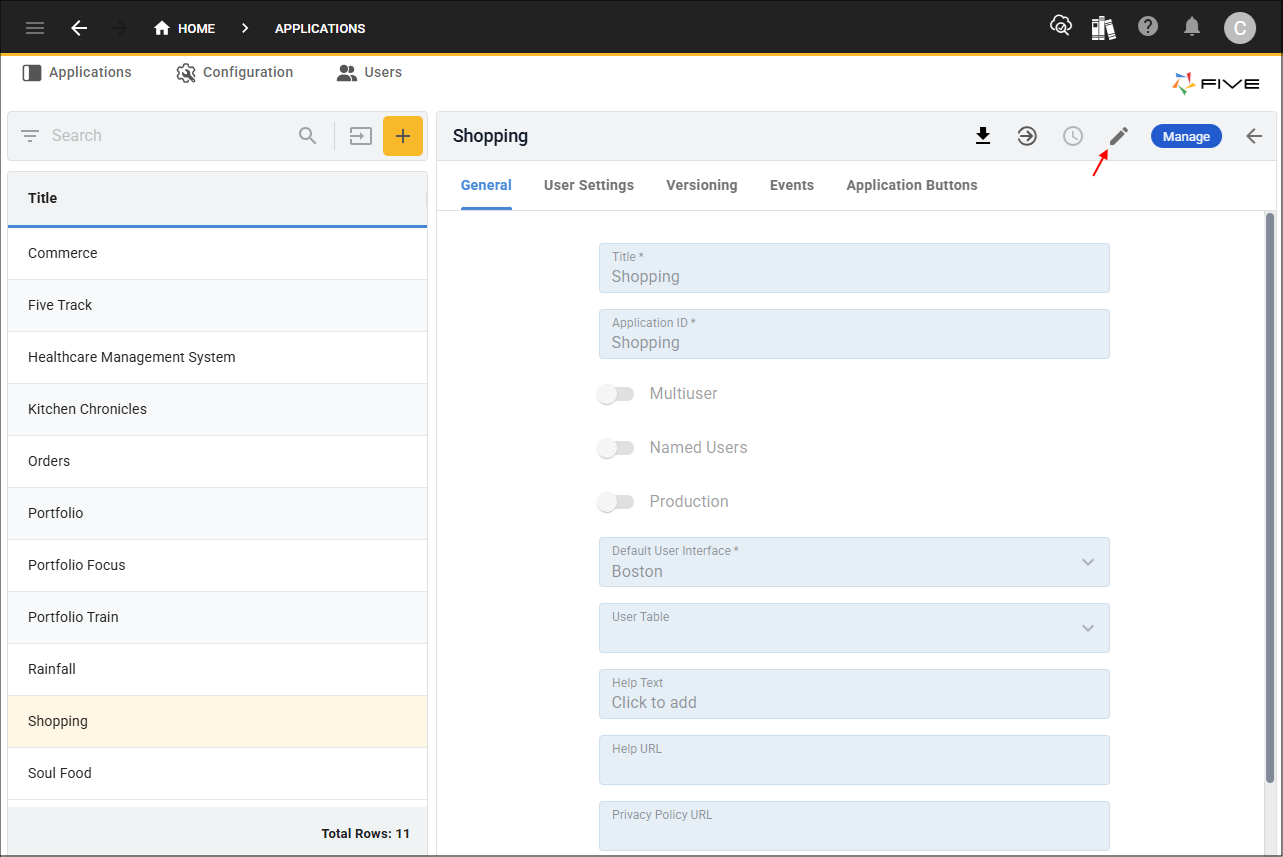
1. Click the Edit button in the form app bar.
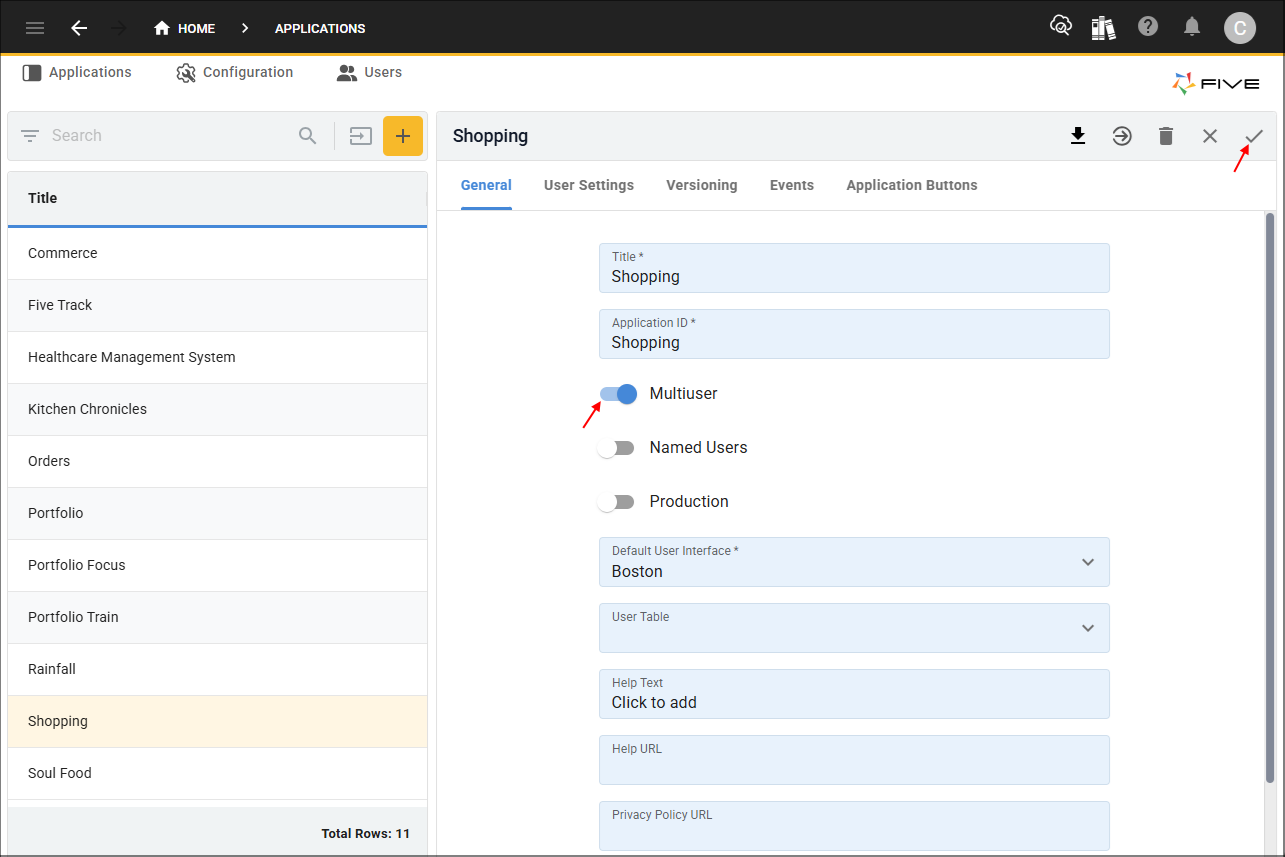
2. Click the Multiuser switch and the Save button in the form app bar.
What Five Creates When an Application Becomes Multiuser
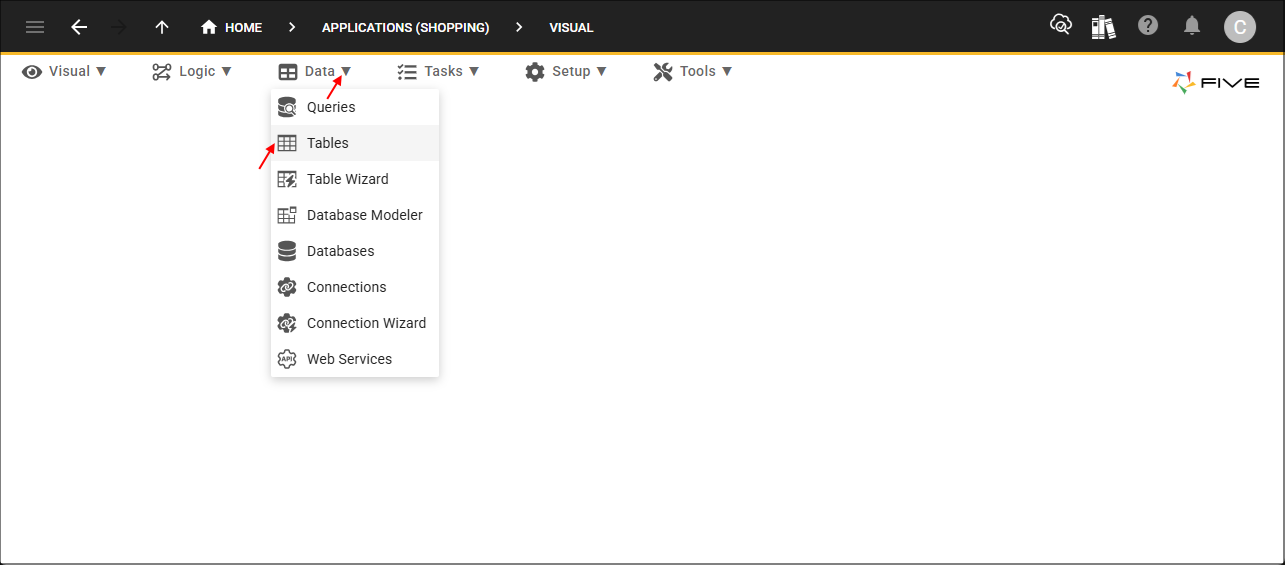
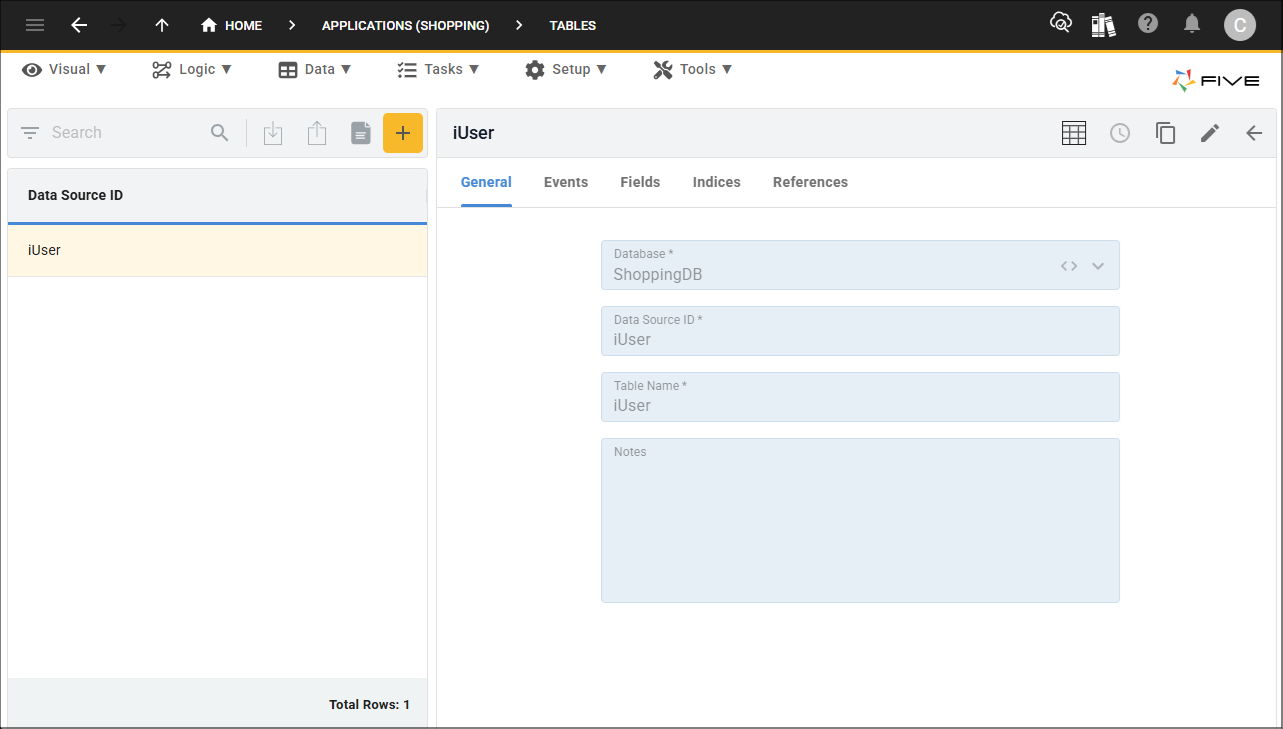
When an application becomes multiuser, Five creates a table called iUser in the application's database. This table is used to store all the users of your application. You can see the iUser record by clicking the Manage button, selecting Data in the menu followed by Tables in the sub-menu and selecting the iUser record in the list.
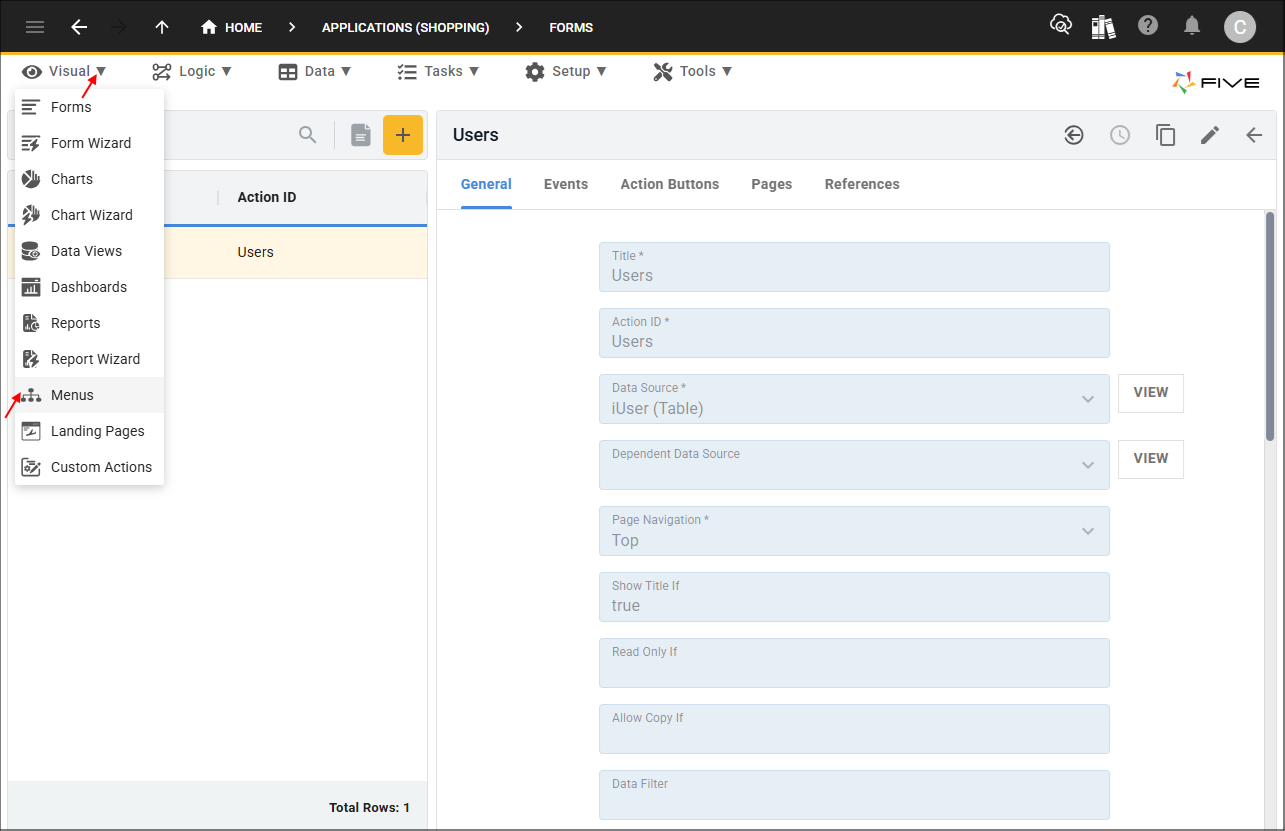
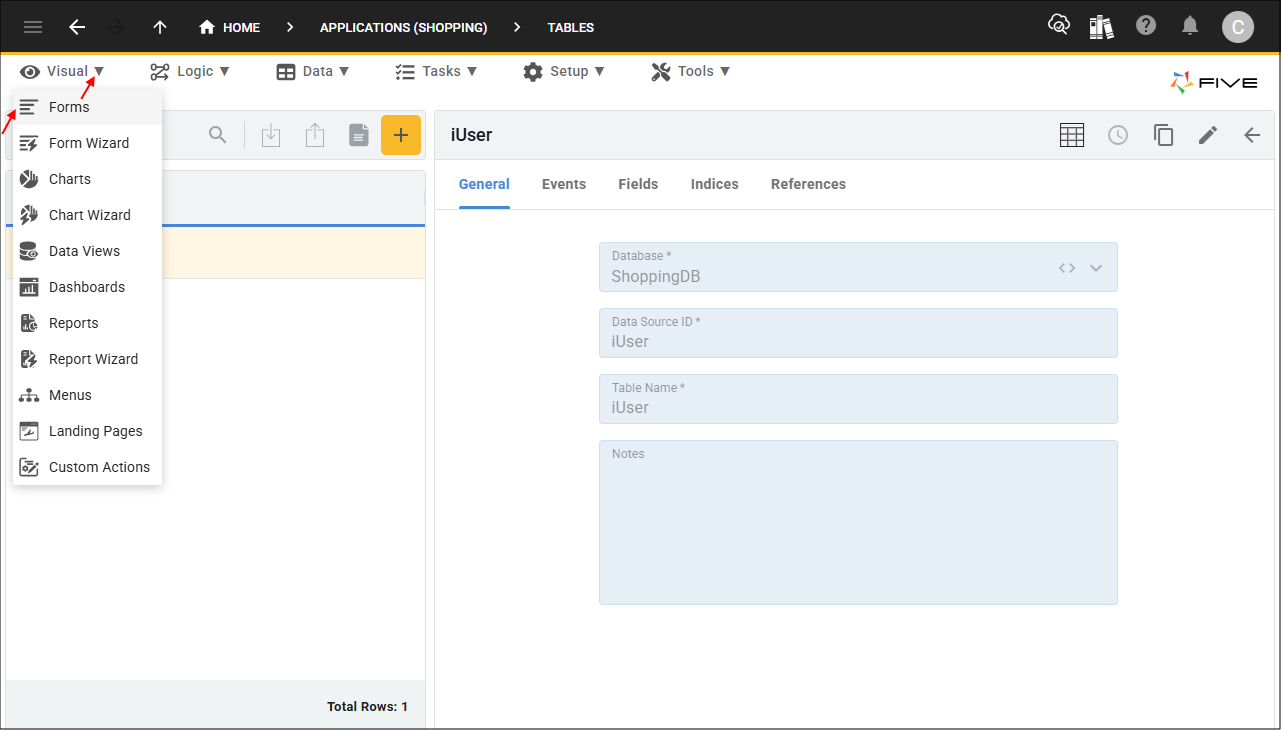
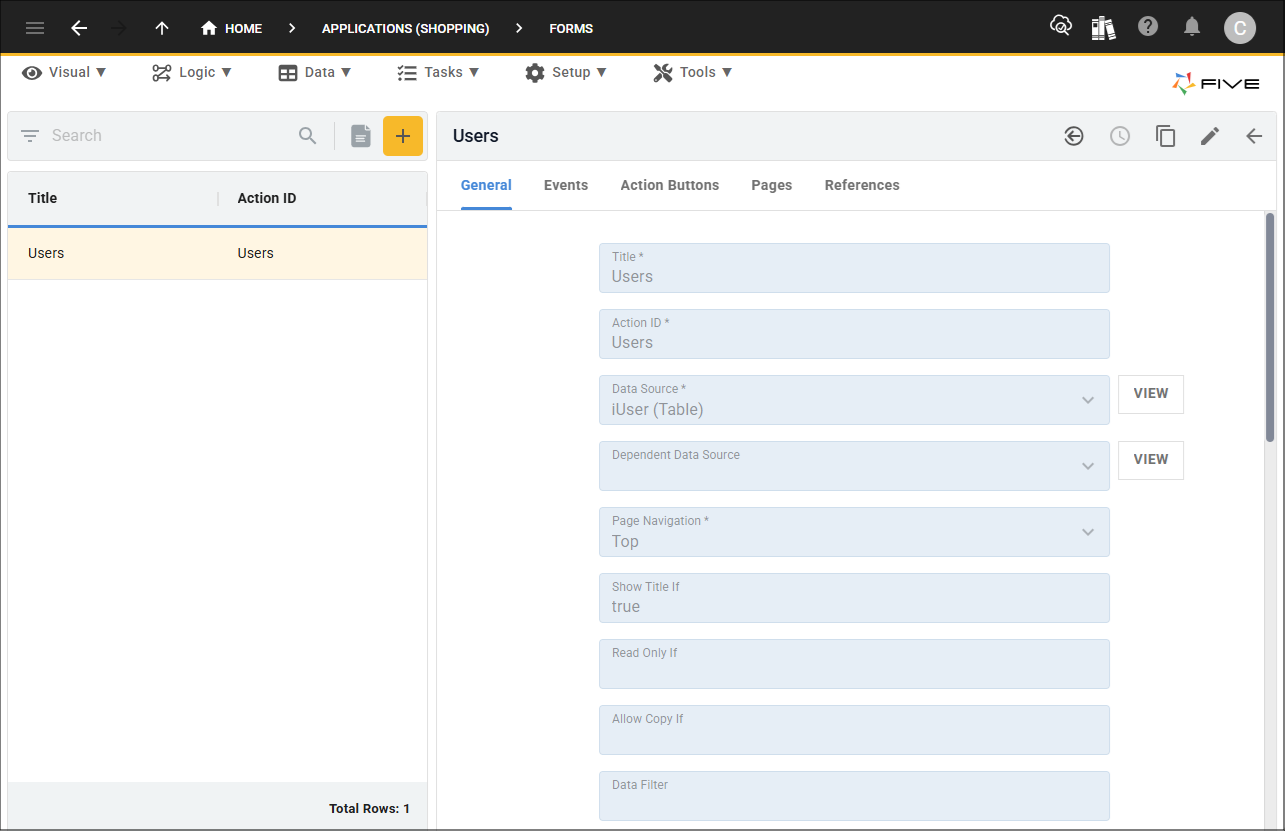
The Users form is created and uses the iUser table as its data source. You can see the Users record by selecting Visual in the menu followed by Forms in the sub-menu and selecting the Users record.
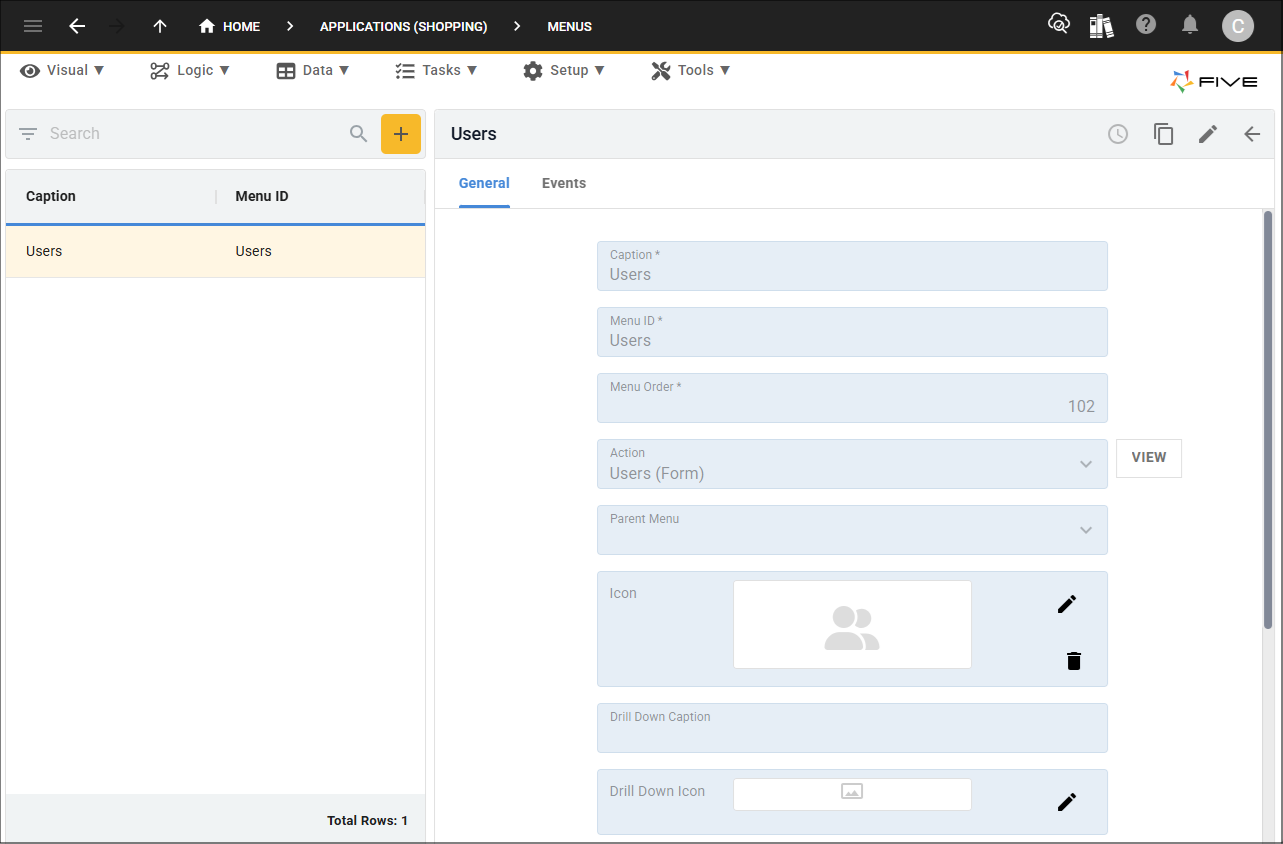
The Users menu is created and references the Users form. You can see the Users record by selecting Visual in the menu followed by Menus in the sub-menu and selecting the Users record.