How V Works
Last updated 6/07/2026
Overview
V is an AI-powered assistant integrated into Five that helps you design, build, and refine enterprise applications faster. It acts as an intelligent layer on top of the development environment, reducing manual effort while maintaining structure, best practices, and deployment readiness.
What V Does
When you provide a prompt, V:
- Analyzes your request to understand the type of application being created
- Generates application structures from natural language prompts
- Defines the required data structure (tables, fields, and relationships)
- Generates the user interface components needed to interact with the data
- Configures core logic and behaviors based on your description
- Creates an initial revision of the application so it is ready for immediate use and further development
V removes the need for manual setup by automating the foundational steps of application development, allowing you to focus on refining and extending your application.
How V Works
1. Start with a Prompt
Begin by describing the application you want to build in natural language. For example:
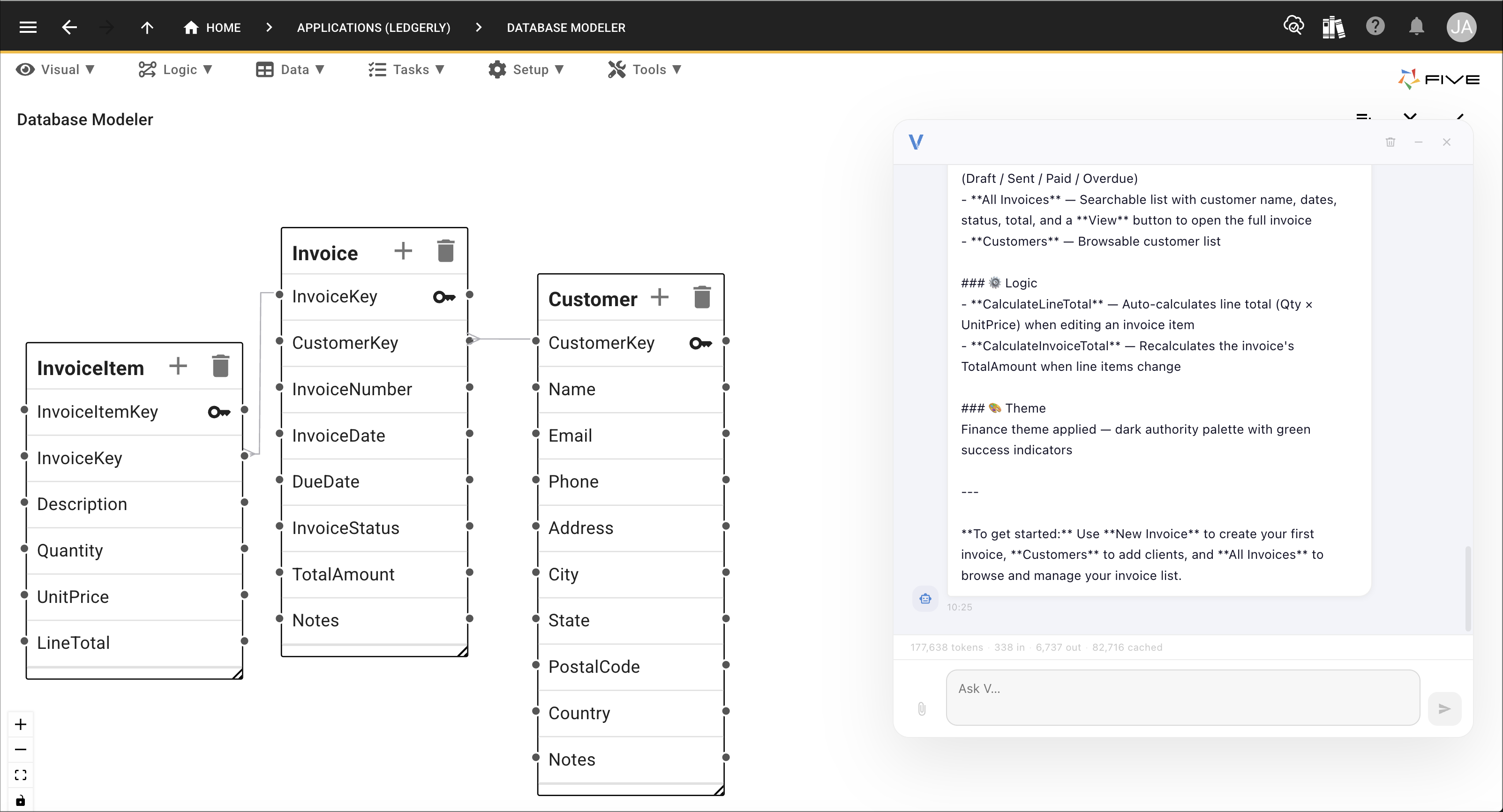
"Create an invoicing system with customers, invoices, and invoice items."
V interprets this request and breaks it down into components such as:
- Data models
- Relationships
- Required screens
- Business rules

2. AI Interpretation and Planning
Once the prompt is submitted, V:
- Analyzes the intent of the application
- Identifies required database entities
- Determines relationships between entities
- Proposes a structured application design
This ensures the output follows enterprise-grade architecture principles.

3. Application Generation
V then generates the application structure inside Five, including:
- Database tables and schema
- Default forms and views
- Navigation structure
- Core business logic
You can then immediately review or refine the generated system.
4. Iteration and Refinement
You can continue interacting with V to:
- Modify existing features
- Add new functionality
- Adjust workflows or rules
- Improve UI layouts
V can update the relevant parts of the application, maintaining consistency across the system.
5. Version Control
Every change made through V is tracked:
- Each update creates a new version snapshot
- Users can compare versions
- Rollbacks can be performed if needed
- Change history is preserved for auditability

6. Deployment
Once ready, applications can be deployed directly from Five, this is controlled by you:
- Development -> Testing -> Production environments
- Controlled environment promotion
- Secure deployment with just one click

Key Benefits
Speed
Build complete applications in a fraction of the time compared to traditional development.
Consistency
Ensures structured, scalable architecture across all generated systems.
Security
Applications are built within governed environments with controlled access and permissions.
Maintainability
Version tracking ensures every change is traceable and reversible.
Typical Workflow Example
- User creates an application record and opens V in the application.
- User prompts V with an application idea.
- User can deploy the application and review and refine the system.
- V can apply updates incrementally.
- System is versioned automatically.
- Can run application to continually see changes.
Summary
V transforms natural language into structured enterprise applications within Five. It bridges the gap between ideas and production-ready systems by combining AI-driven generation with controlled, versioned, and secure deployment workflows.