Live Queries
Last updated 16/03/2026
Overview
Live queries in Five allow data-driven components, such as charts and data views to update automatically when the underlying data changes. When a query is marked as Live, the interface refreshes its results in real-time, removing the need for users to manually refresh the view.
Make a Query Live
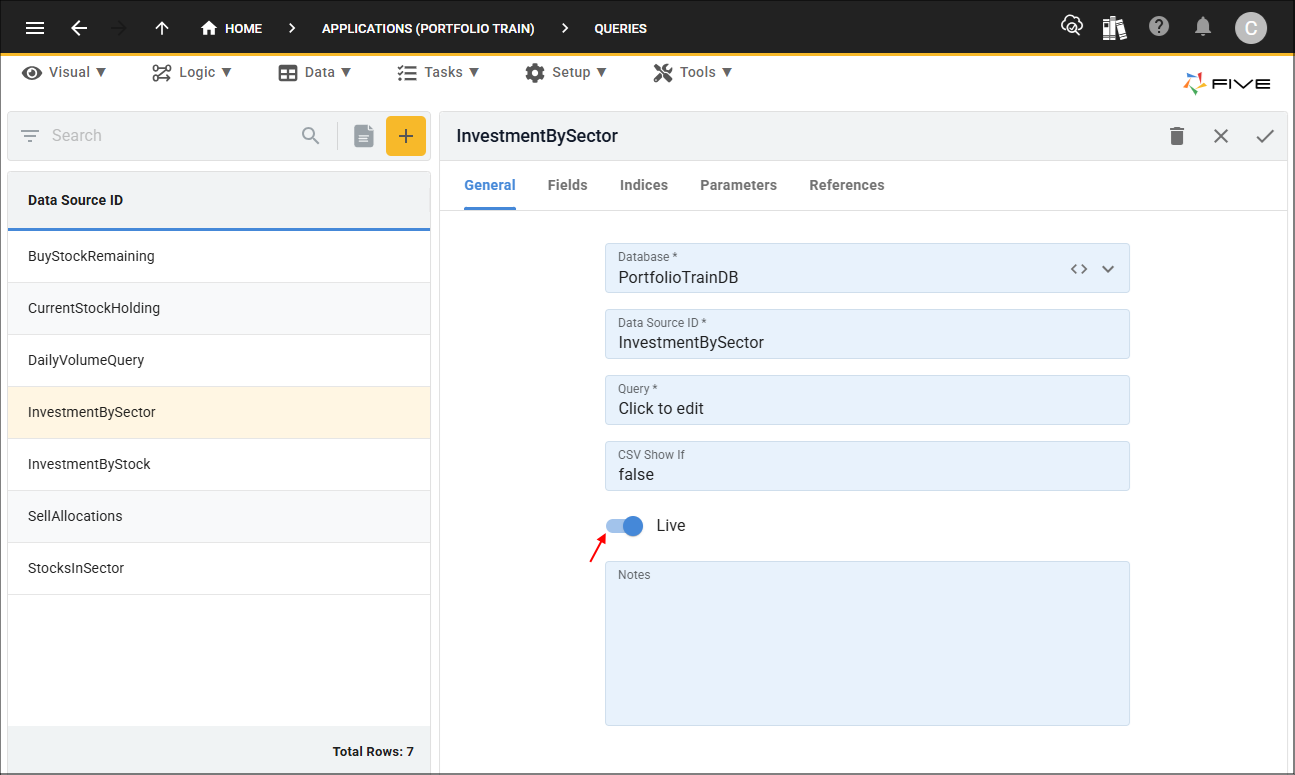
To make a query live you will need to head back to the Queries view and select your record in the list. Edit your record and turn the Live switch on.
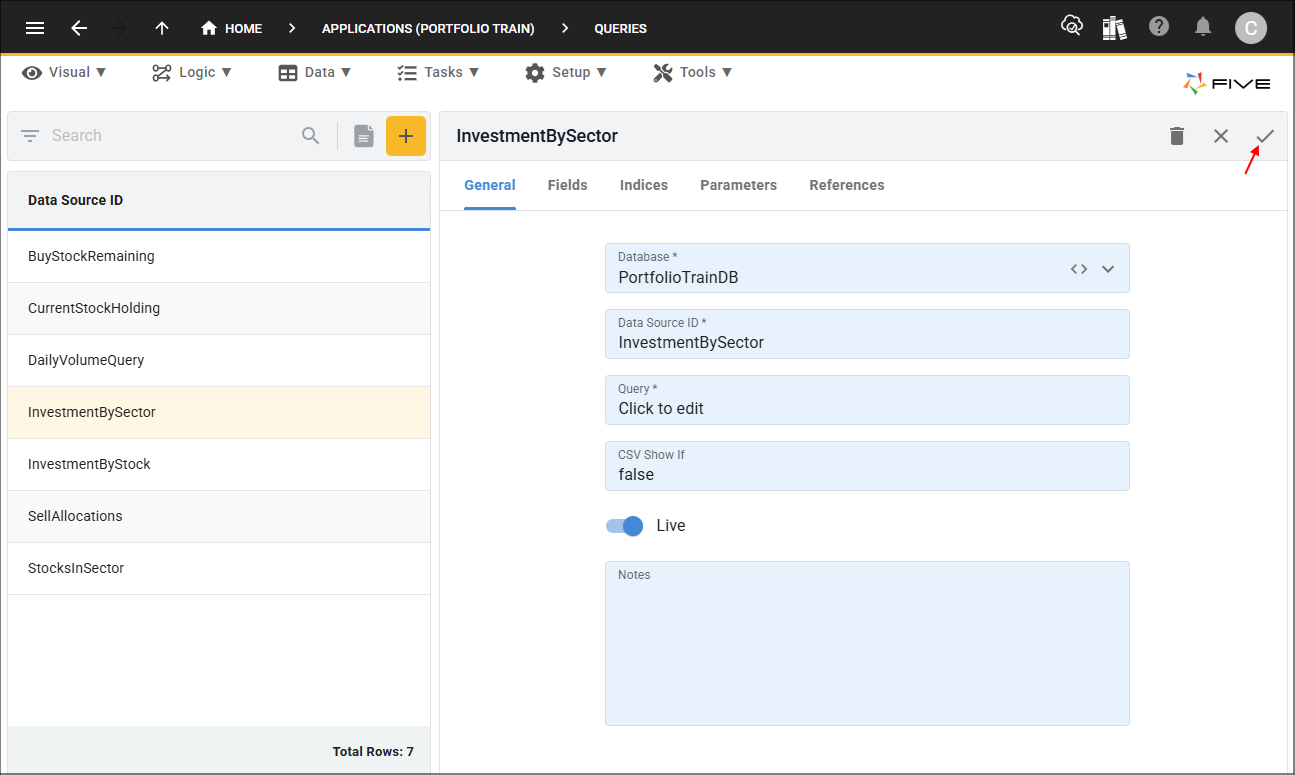
Next, you will need to save the record.
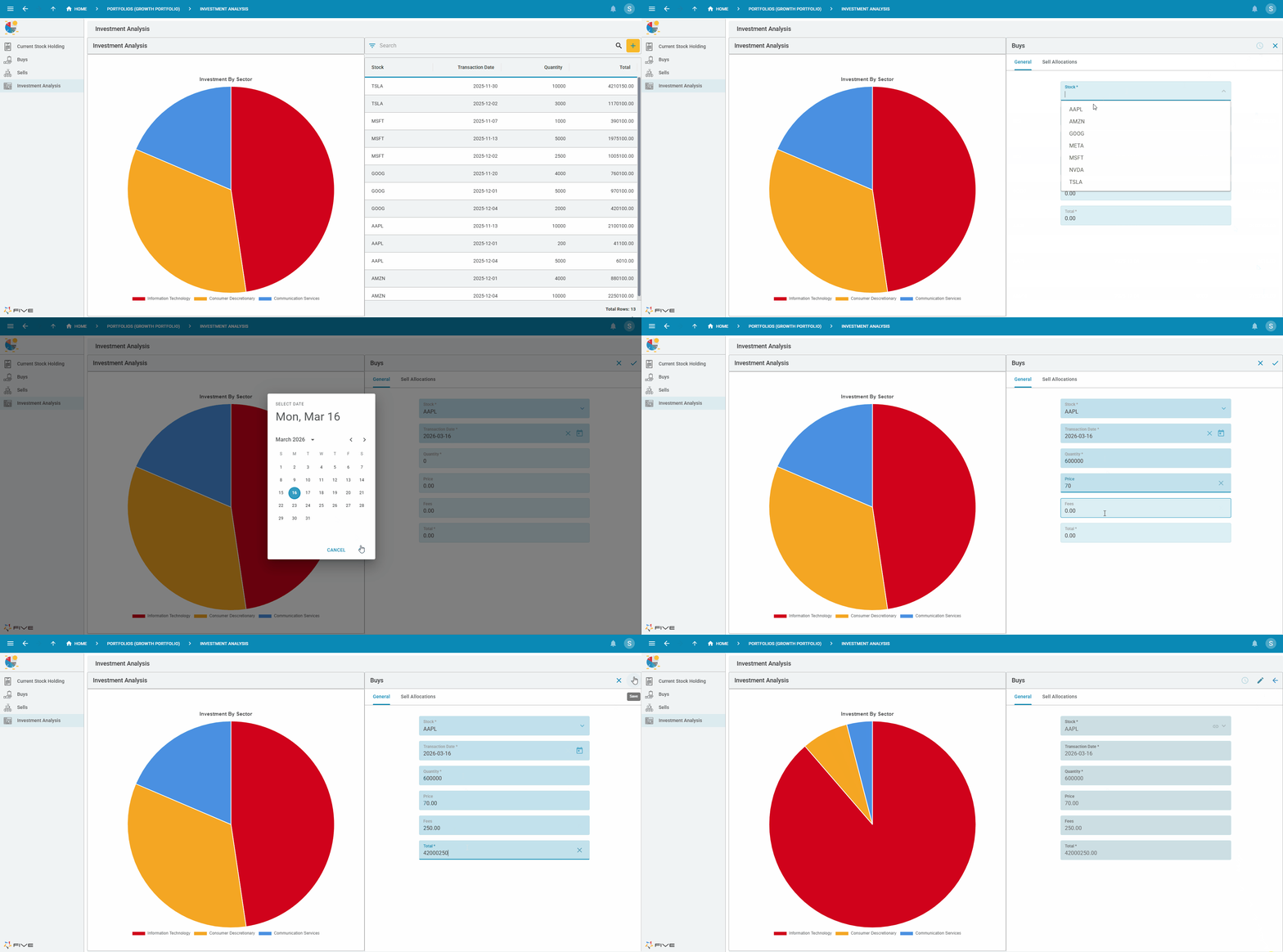
Example of a Live Query
Below is the Portfolio application's Investment Analysis dashboard, the Investment By Sector chart is powered by a query. When a new record is added through the Buys form, the chart immediately reflects the updated data. This behavior is enabled by simply turning on the Live switch for the query.