Introduction
Last updated 10/03/2026
Overview
Five provides a flexible two-way query editor that allows you to create, manage, and reuse queries as data sources and throughout Five. Queries are the foundation for dynamic, maintainable, and reusable data access.
Why Use Queries
Queries allow you to retrieve, filter, and structure data from your database instead of relying on hard-coded values. Using queries provides:
- Dynamic data access - display data based on parameters, user input, or context
- Reusability - a single query can power multiple screens, forms, data views, etc
- Consistency - the same logic and filters apply everywhere the query is used, ensuring accurate results
- Flexibility - build queries visually or with SQL, depending on your workflow and complexity needs
- Parameterization - accept parameters defined outside the editor to make queries dynamic and context-aware
Two-Way Editor Overview
Five provides a flexible two-way query editor that allows you to create and manage queries either visually or using SQL scripts. This editor supports both point-and-click query building and direct SQL scripting. Providing flexibility in how you create queries, depending on your skill level and needs.
Query Builder (Visual Mode)
The point-and-click editor, which we refer to as the Query Builder, is ideal for quick scripts or simple queries. It is great for users without SQL knowledge, as it allows you to select tables (any relationships will automatically be applied) fields, filters, and inbuilt aggregate functions. Enabling you to add your queries quickly without writing code.
SQL Mode
For users familiar with SQL, there are no restrictions on the queries you can write. Five's SQL editor supports complex logic, advanced joins, and MySQL functions, giving you full control and flexibility to optimize queries for performance or specific requirements.
SQL Syntax Recommendation
While Five recommends using MySQL syntax for queries in the SQL editor to ensure optimal compatibility and performance, we also support other SQL dialects, including Microsoft SQL Server (MSSQL) when using an external database. However, for best results and consistency, using MySQL syntax is encouraged whenever possible.
Attaching Queries
In Five, a query can be attached as a data source to various components in an application. When a query is used as a data source, the results returned by the SQL query are used to populate and drive the data displayed in the component.
A query data source can be used with actions such as forms, data views, reports, and charts. Instead of binding the action directly to a database table, the action retrieves it's data from the query result set. They are attached via the Data Source fields. This allows you to shape, filter, join, or aggregate data before it is displayed to a user of your application.
Queries can also be attached to data source fields using a _LookupQuery display type. In this case, the query provides the set of values available for that field type in a dropdown control. The query determines which records are available for selection and how they are presented to the user.
Using a query as a data source provides more flexibility than using a table alone. For example, a query can combine data from multiple tables, apply calculations, or restrict the dataset using criteria. The component will then display only the records returned by that query.
When a query is used as the data source for a form, it must include a primary key so the system can uniquely identify each record in the result set. This allows the form to determine which record is being used.
Navigate to the Queries View
Select Data in the menu followed by Queries in the sub-menu.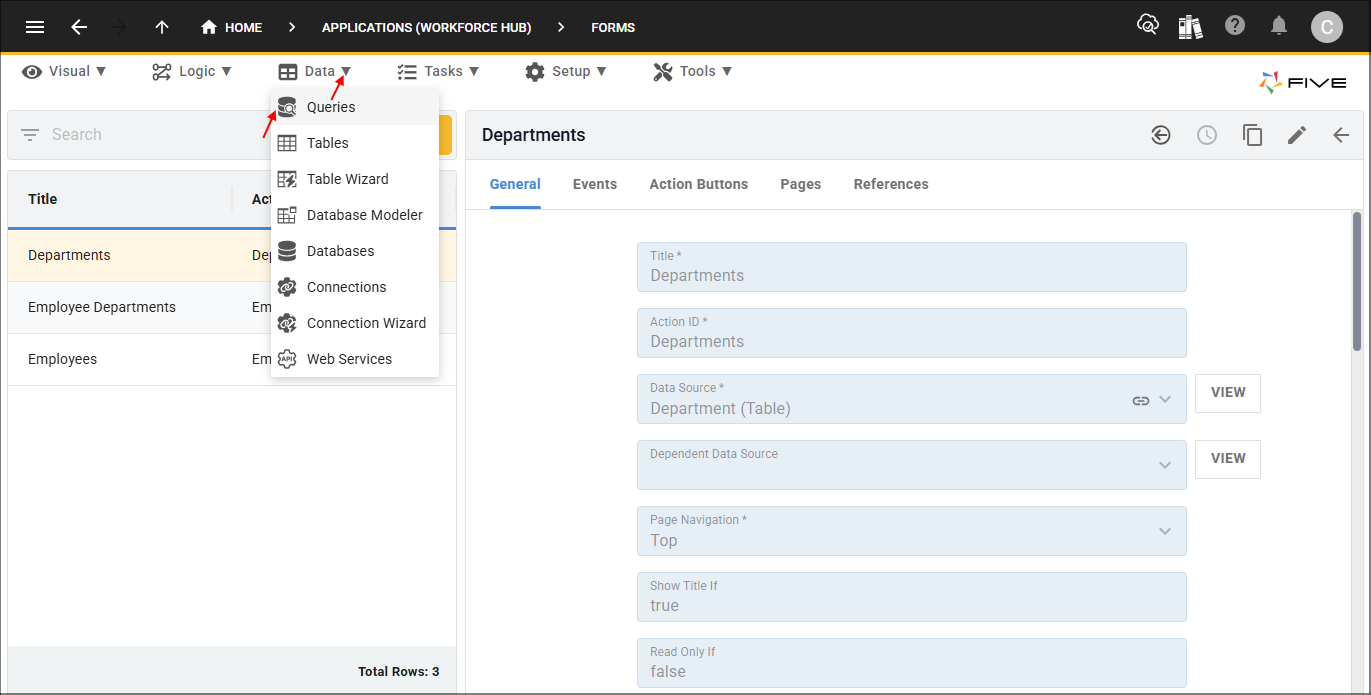
Understanding the Query Form
The Query form is organized into five pages, each serving a specific purpose to help you create, configure, and manage your queries effectively. Clicking each tab on the form will guide you through the form.
General Page
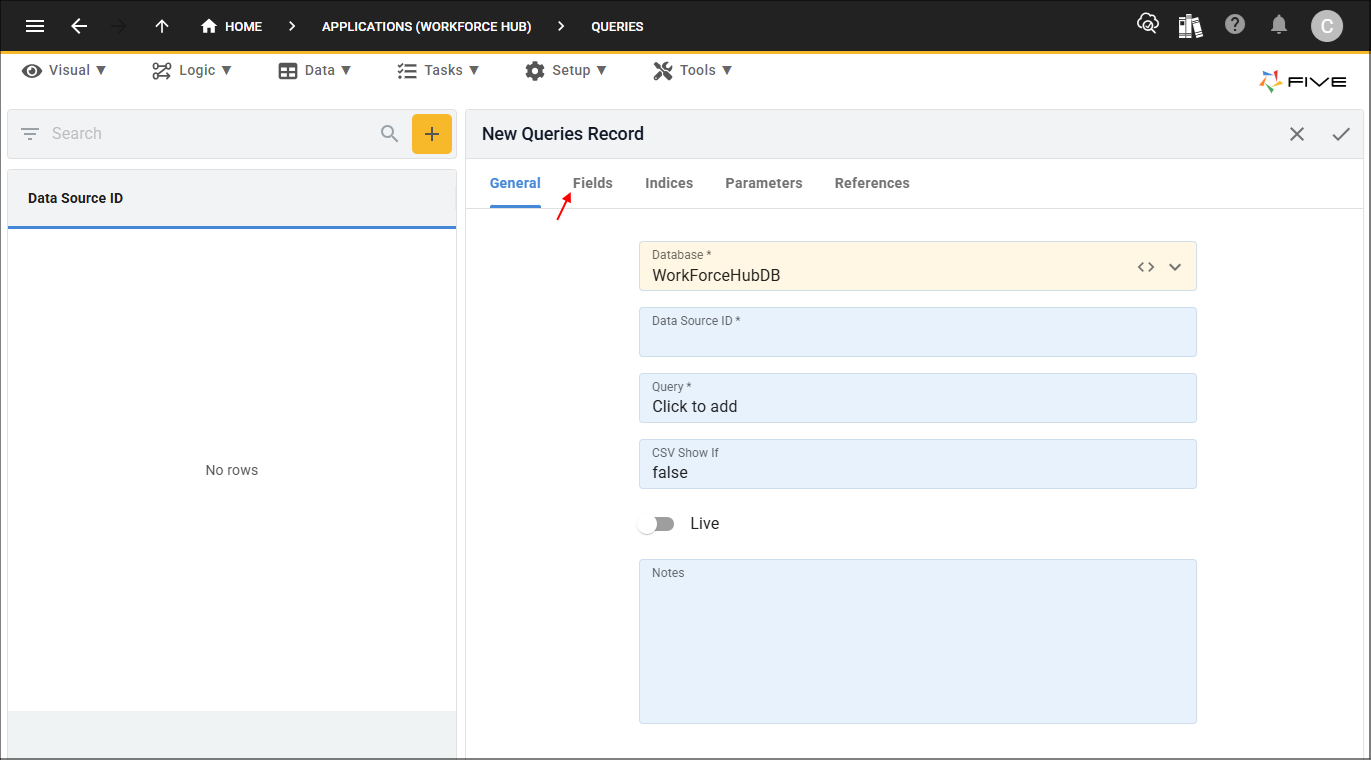
On this page, you define your query as a unique data source by giving it a data source ID, and select the database it will use. It also provides the Query field, which opens the two-way editor. The editor allows you to either use the point-and-click interface or write SQL scripts.
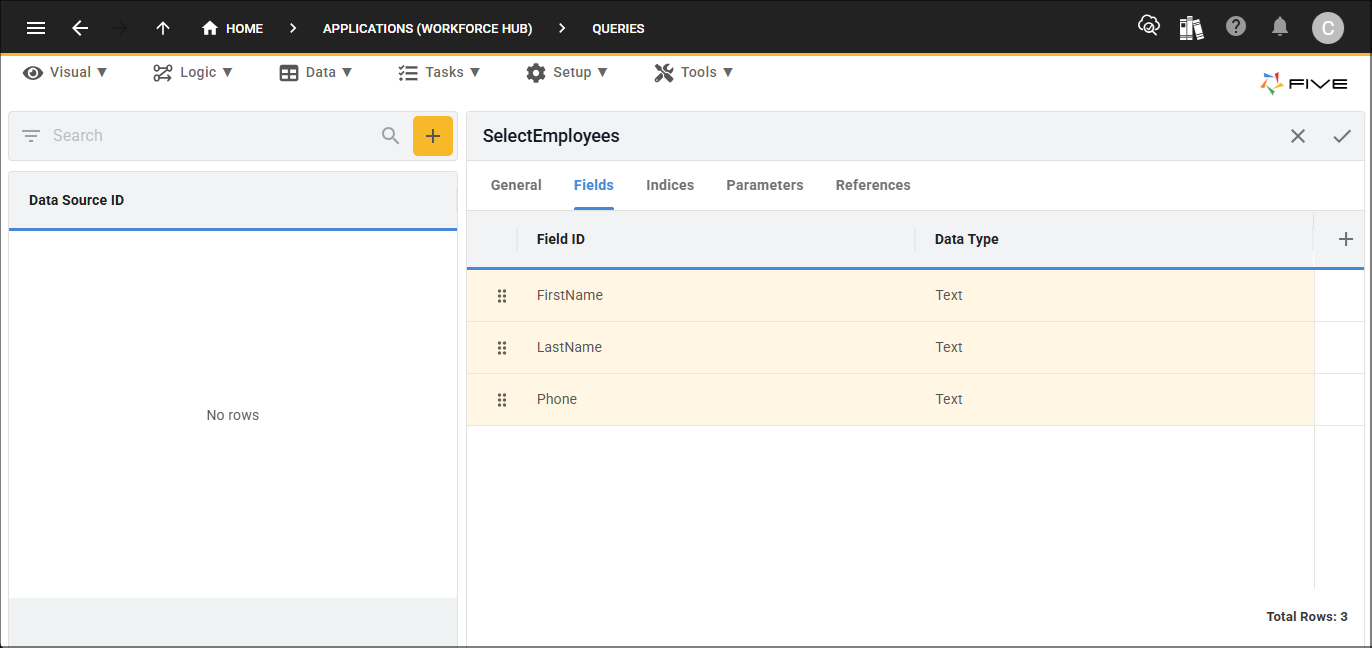
Fields Page
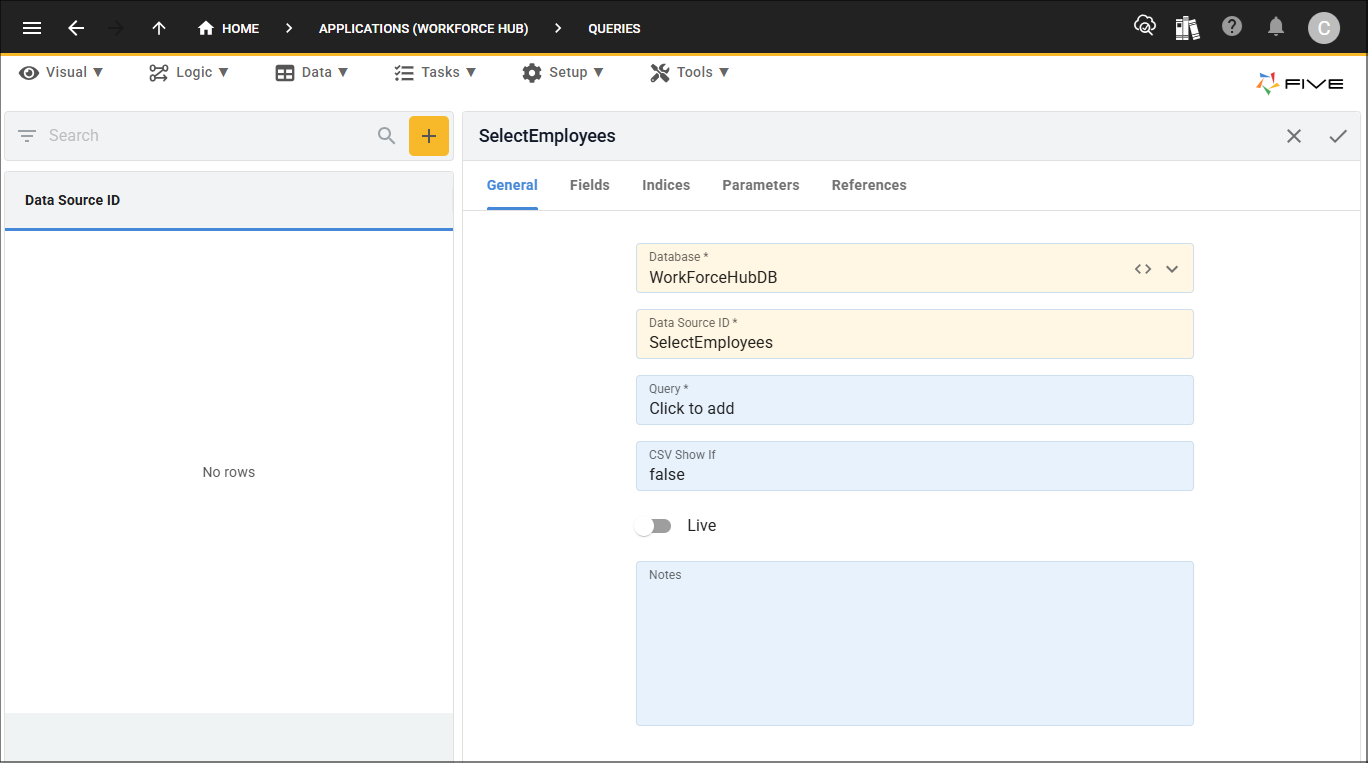
The Fields page automatically generates all fields used in your query. Here, you can review and if necessary, edit these fields to ensure they meet your requirements. This page ensures that your query outputs are structured correctly for use in forms, reports, data views, and other parts of your application.
Indices Page
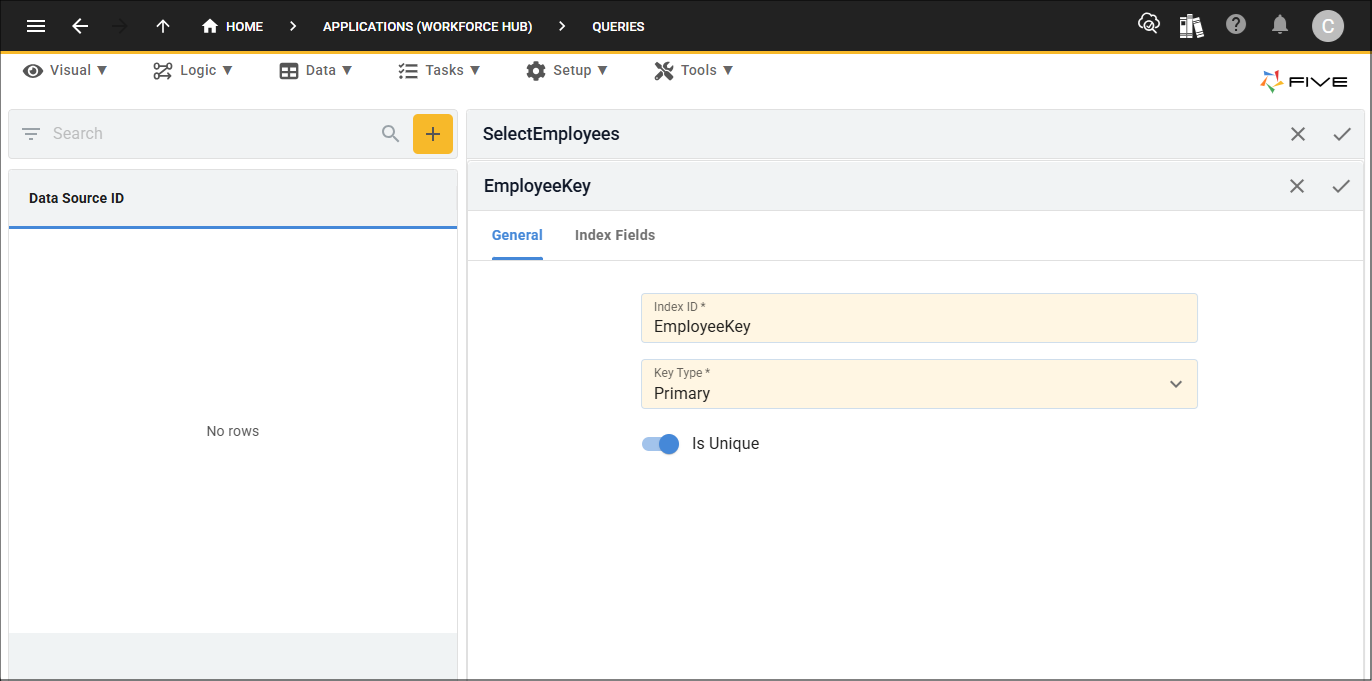
The Indices page allows you to create a primary key for your query. Defining a primary key is essential if you plan to use the query as a data source for a form, enabling record selection and ensuring each record can be uniquely identified.
Parameters Page
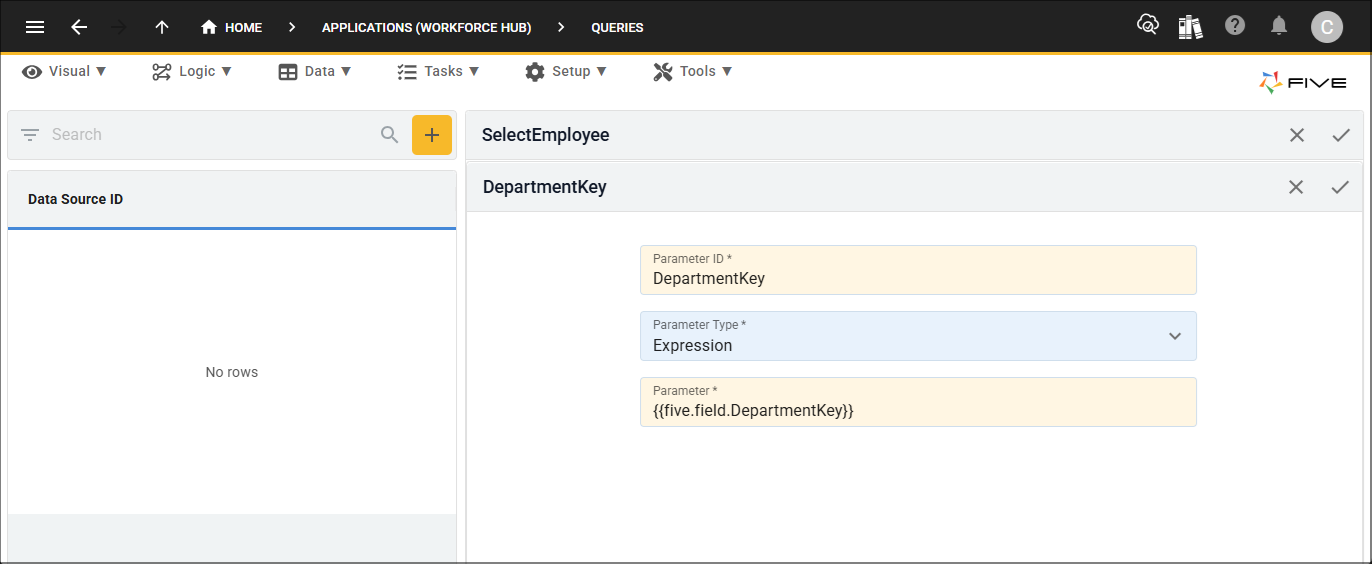
The Parameters page is where you define any parameters your query needs. In the query itself, you must use a
References Page
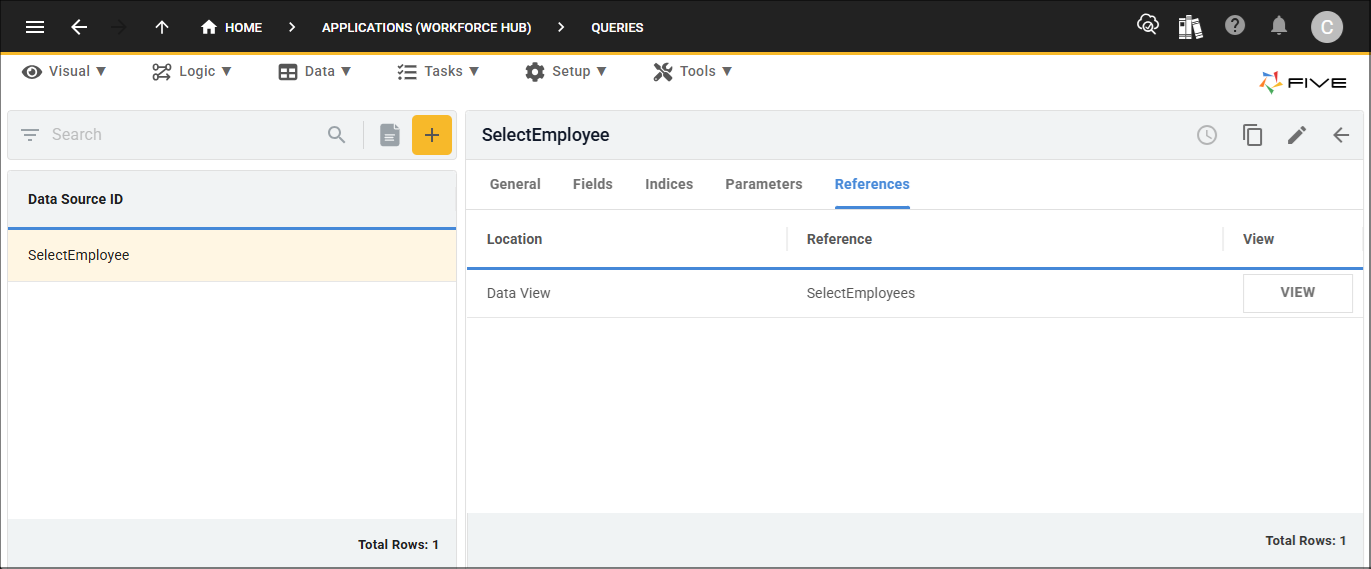
Once your query has been attached in Five, the References page provides a visual overview of where your current query is being used or referenced within the application. This helps you understand dependencies and ensures you can safely modify or update the query without affecting other components.