Using V With Modules
Last updated 29/07/2026
Overview
V can assist with creating, modifying, and maintaining modules within the Module Editor.
Modules allow applications to include custom functionality such as dashboards, charts, reports, custom forms, data visualizations, and interactive components.
When V creates a module, it automatically generates the required module record along with the supporting files and React components required for the module to run.
The generated module is fully editable. Users can continue using V to make changes, or manually edit the module record and source code through the Module Editor.
Creating Modules with V
V can create a new module by describing the required functionality using natural language. For example:
Based on the prompt, V will generate the required module structure, which may include:
- A new module record
- React components
- Supporting files
- User interface elements
- Data connections and queries where required
- Module configuration
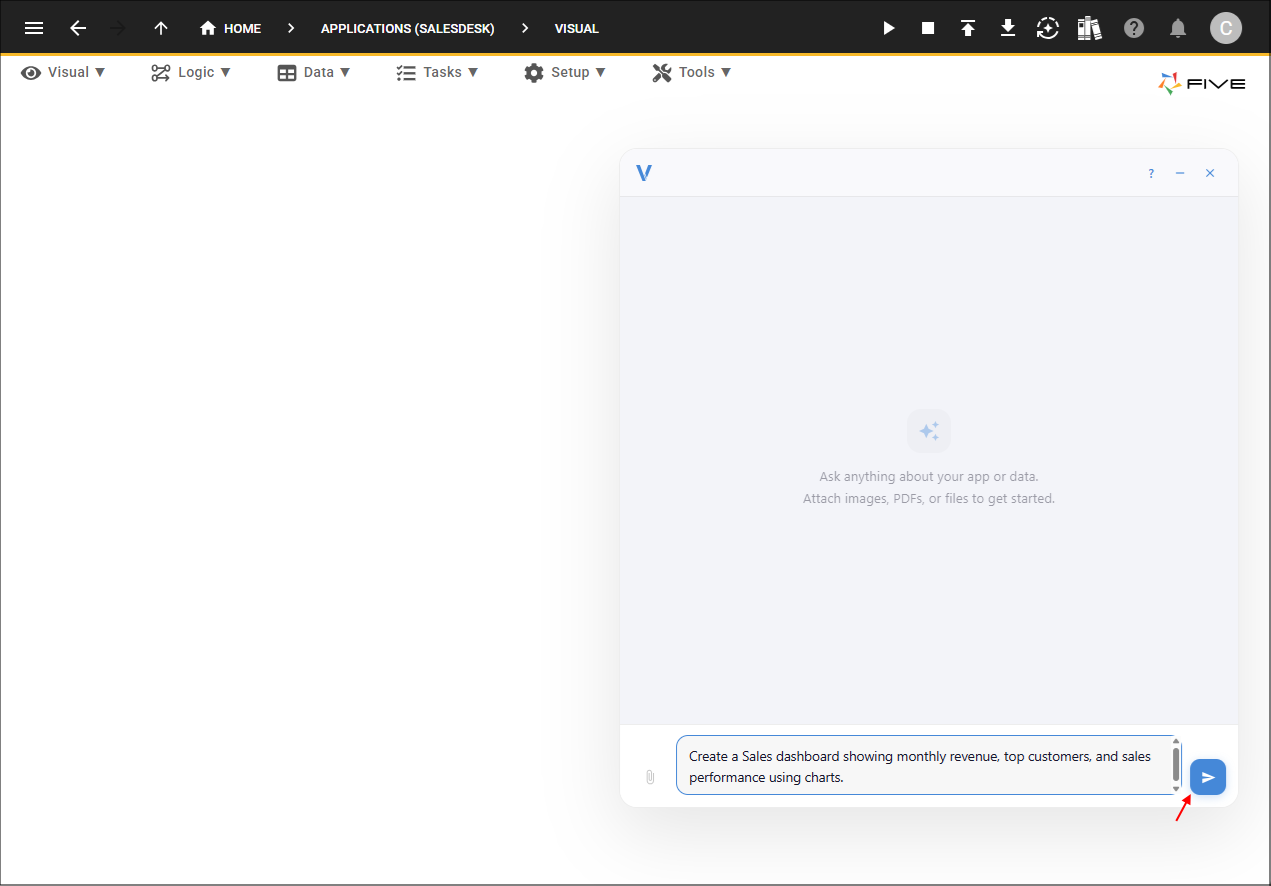
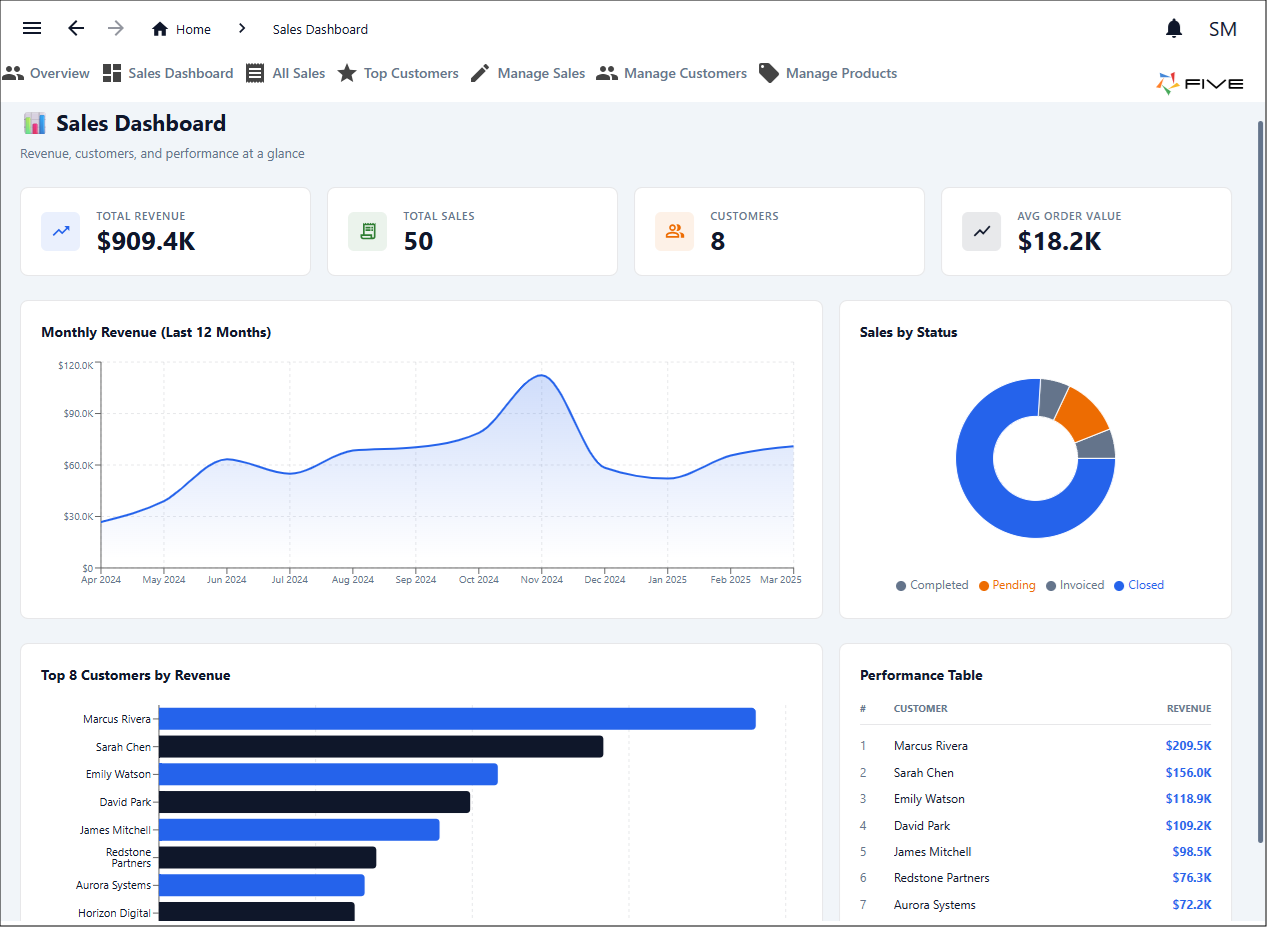
Once created, the module is available within the application and can be opened in the Module Editor for further development or you can continue to use V to make enhancements if required.
Accessing Generated Module Records
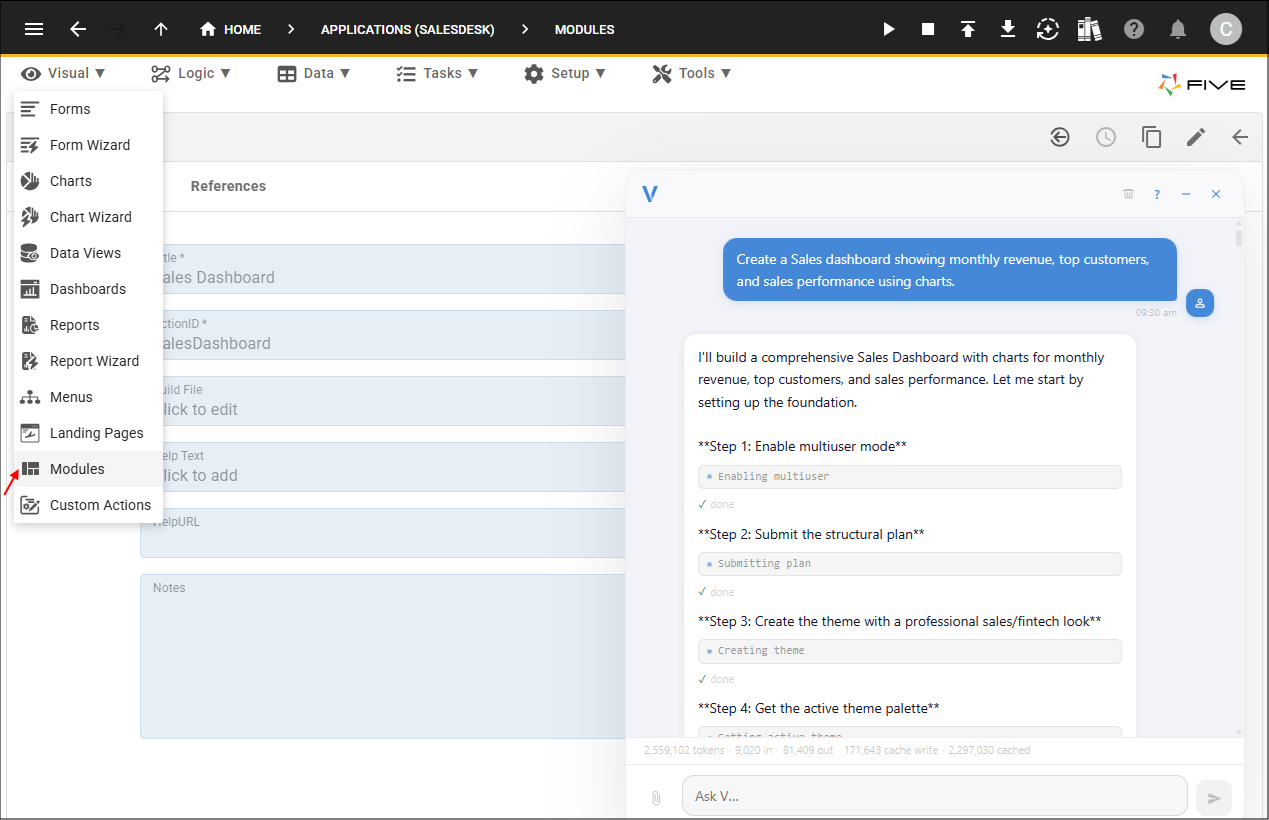
When V creates a module, it automatically creates a corresponding module record. The module record defines the module within the application and contains the configuration required for the module to be loaded and used. You can access generated module records through the Modules section in Five.
To manually edit a module record, select Modules in the Visual menu.
Select the record created by V.
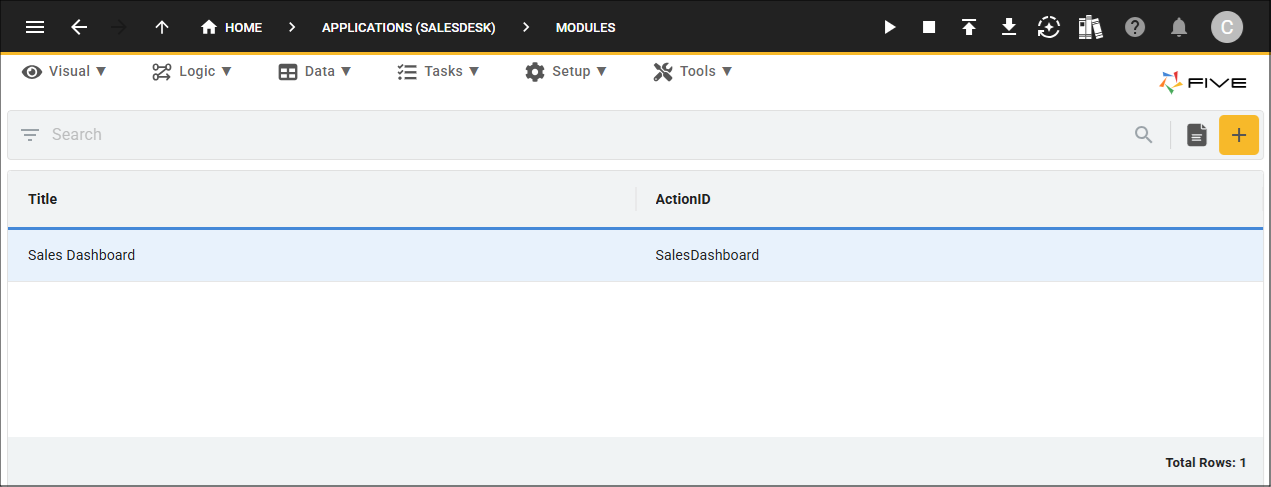
Edit the module record and click in the Build File field to open the Module Editor.
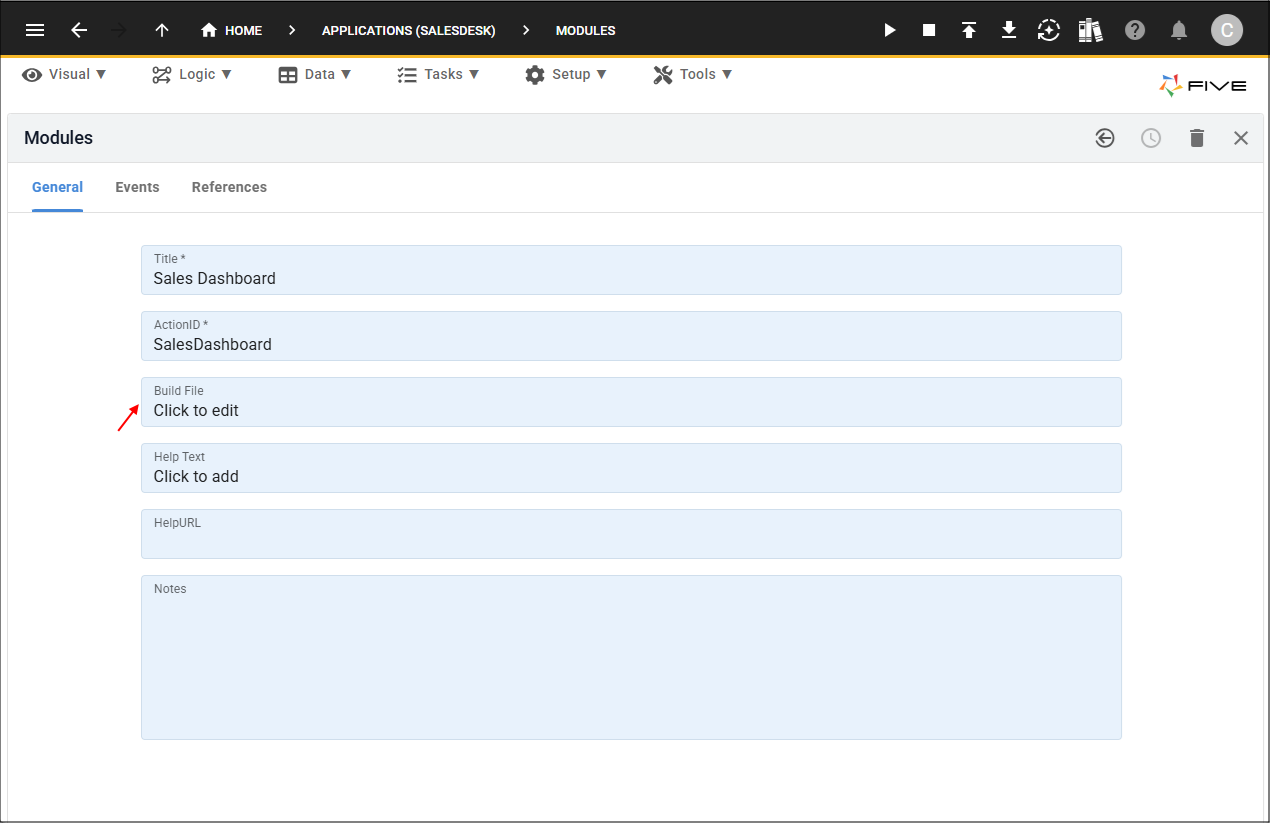
Properties can be updated. Any modifications made to the module record will be reflected the next time the module is built and saved. Editing the module record allows advanced you to modify the module configuration directly without needing to regenerate the module with V.
The source code and React components that provide the module functionality can be edited separately through the Module Editor.
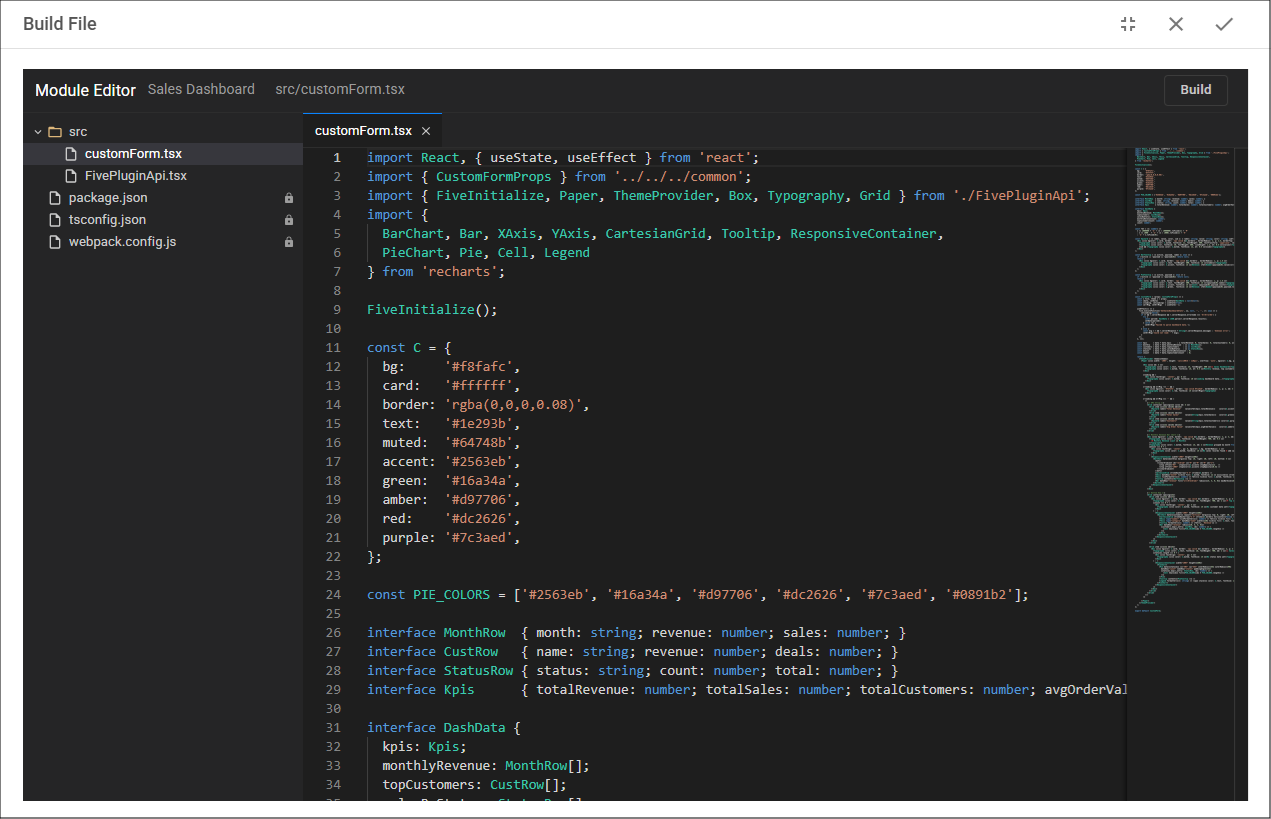
Modifying Existing Modules with V
V can analyze an existing module and make changes based on new requirements. For example:
V will review the existing module structure and update the required files while preserving the existing functionality.
Refactoring Modules
As modules grow, V can help improve the structure and maintainability of the code. For example:
Refactoring helps keep modules organized and easier to maintain as additional functionality is added.
Generating React Components
Modules are built using React components, and V can generate new components based on user requirements. V can create components such as:
- Dashboards
- Charts
- Forms
- Data tables
- Cards
- Interactive controls
- Custom layouts
For example:
V will generate the required component and integrate it into the existing module.
Adding npm Packages
Some functionality may require additional third-party libraries. V can identify when a package is required and add it to the module automatically. Examples include:
- Charting libraries
- Date and time utilities
- UI component libraries
- Data processing tools
V can add the required package, configure the import, and update the module code to use the new functionality.
Understanding Generated Code
V can explain existing module code to help users understand how a module works. For example:
Fixing Module Issues
V can help identify and resolve issues when developing modules. For example:
V can assist with:
- TypeScript errors
- Missing imports
- Component issues
- Package configuration problems
- Build failures
- Data connection issues
Recommended Workflow
A typical workflow when using V with the Module Editor is:
- Describe the required functionality. Start by explaining what you want to create. For example:
- Review the generated module. The module can then be opened and reviewed in the Module Editor. V creates:
- The module record
- Generated files
- React components
- Supporting configuration
- Customise the module. Use V to refine the module by adding features, changing layouts, or modifying behaviour. Alternatively, advanced users can manually edit the module record or source files.
- Test the module. Run the application and verify that the module behaves as expected.
- Continue improving. Over time, V can be used to:
- Add new functionality
- Refactor existing code
- Explain unfamiliar sections
- Fix issues
- Extend the module with additional packages or components, for example:
V creates a new module record named Project Dashboard:
- Dashboard layout
- React components
- Chart components
- Data queries
- Supporting files
The generated module can then be managed through the Modules section and refined further through the Module Editor.
Summary
V accelerates module development by creating the initial structure and assisting throughout the development process. Generated modules remain fully accessible, allowing you to combine AI-assisted development with traditional manual editing when required.