Five's Menus
Last updated 14/03/2024
Five Menu Types
The Menus view is for you to build and present a menu structure to help your users navigate your application and reach the required information or tasks. A menu item selected in your end-user application will make the referenced action available or open a set of nested menu items.Five has three types of menus you can create.
Menu
This a straight-forward menu item. All you need to do is create a menu item and the action that is referenced in the Action ID field will become available when the menu item is selected in the menu.
Figure 1 - Menu item
Parent-Menu
A parent-menu will need to reference an action type of Form in the Action ID field and then it can become a parent for another menu item/s. A parent-menu will have a Down button placed in the form app bar of a selected record to drill down to the children menu items. When you drill down from a parent, you will only see the data relevent to the parent.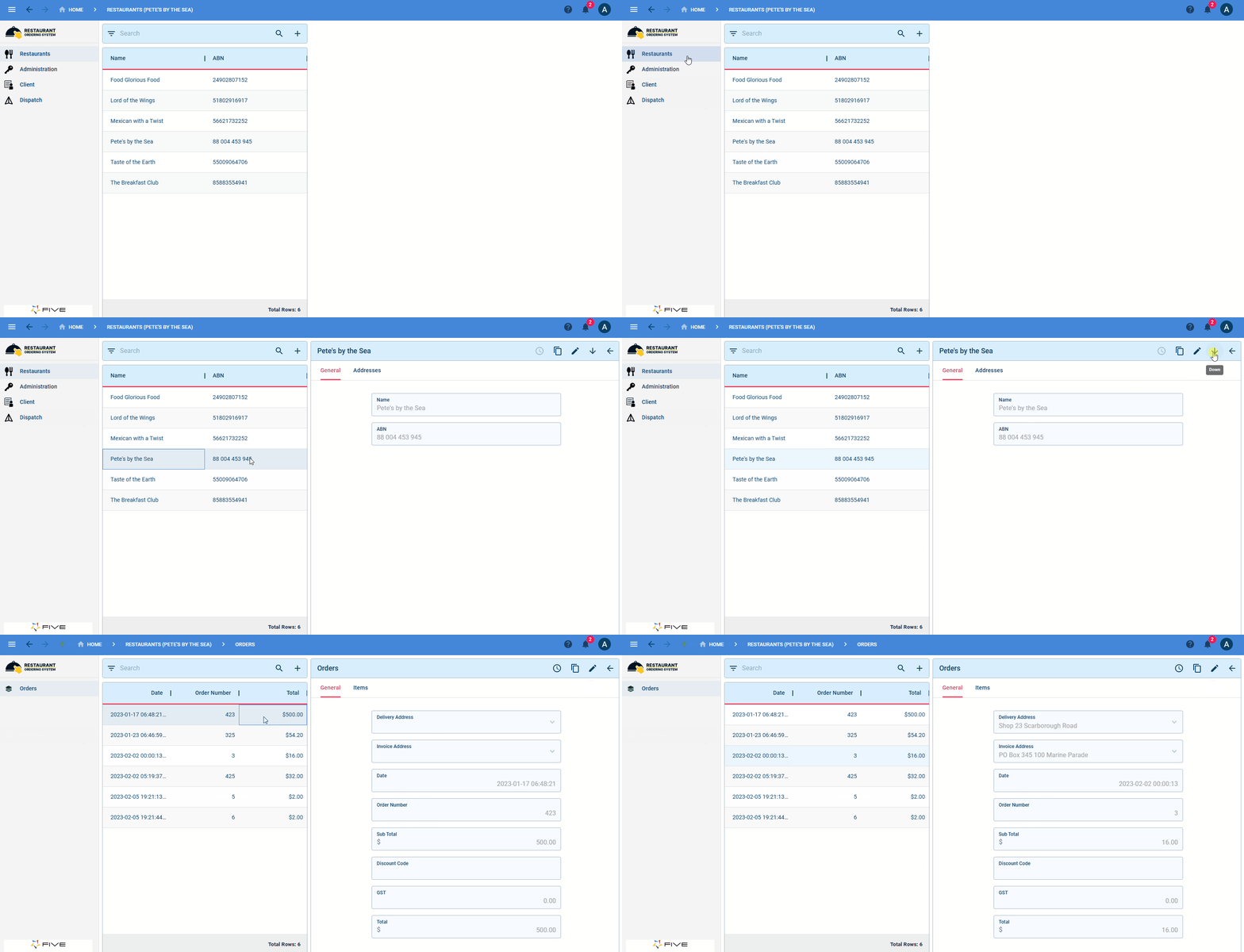
Figure 2 - Parent-menu
Sub-Menu
A sub-menu is nested under a menu item that makes no reference to an action. When the top-level menu item is selected in the menu, the menu will expand and display the nested sub-menu items beneath it.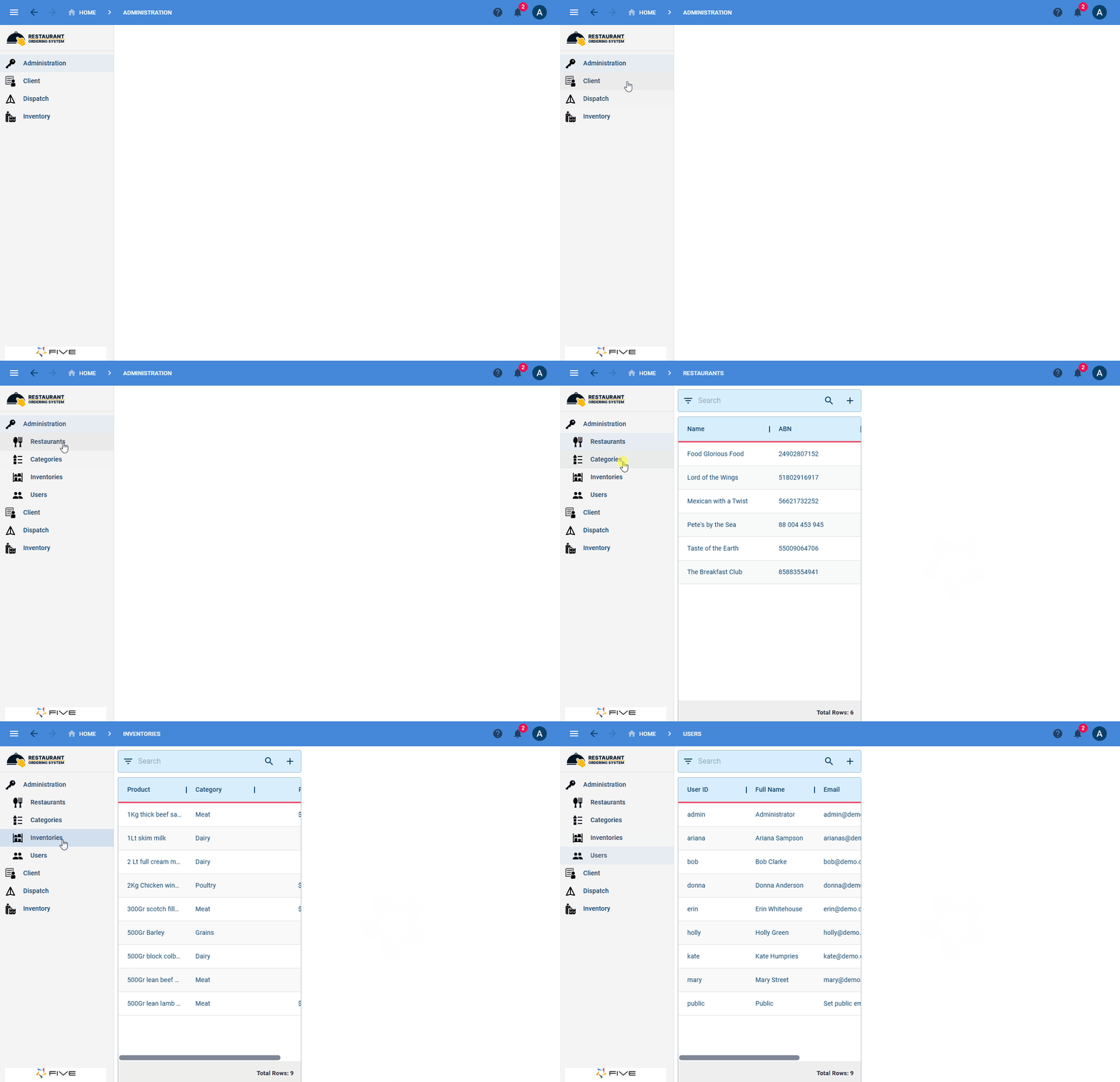
Figure 3 - Sub-menu
What Can a Menu Item Reference?
All actions in Five can be referenced in the Action ID field on the Menus form.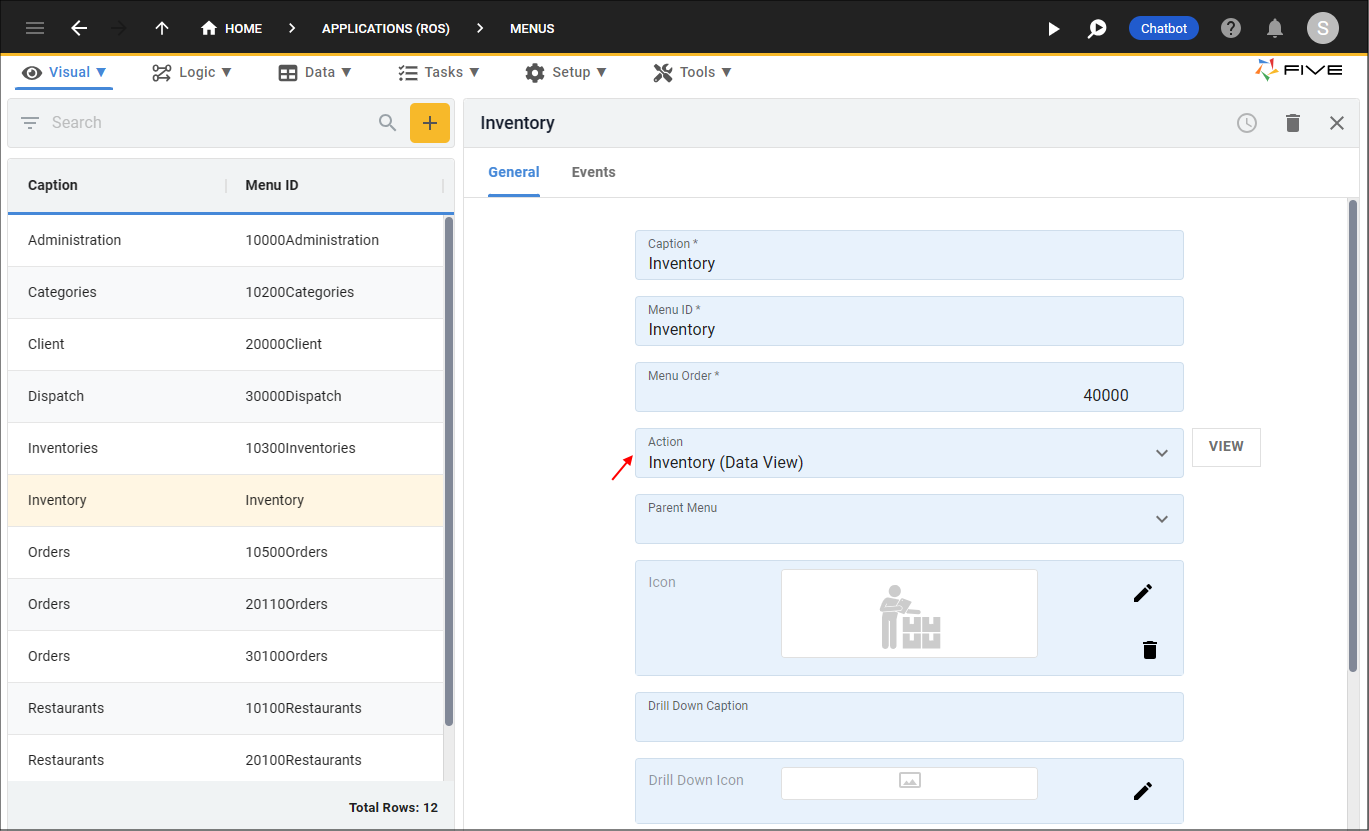
Figure 4 - Action field
When the menu item is selected in your application this action will become available.
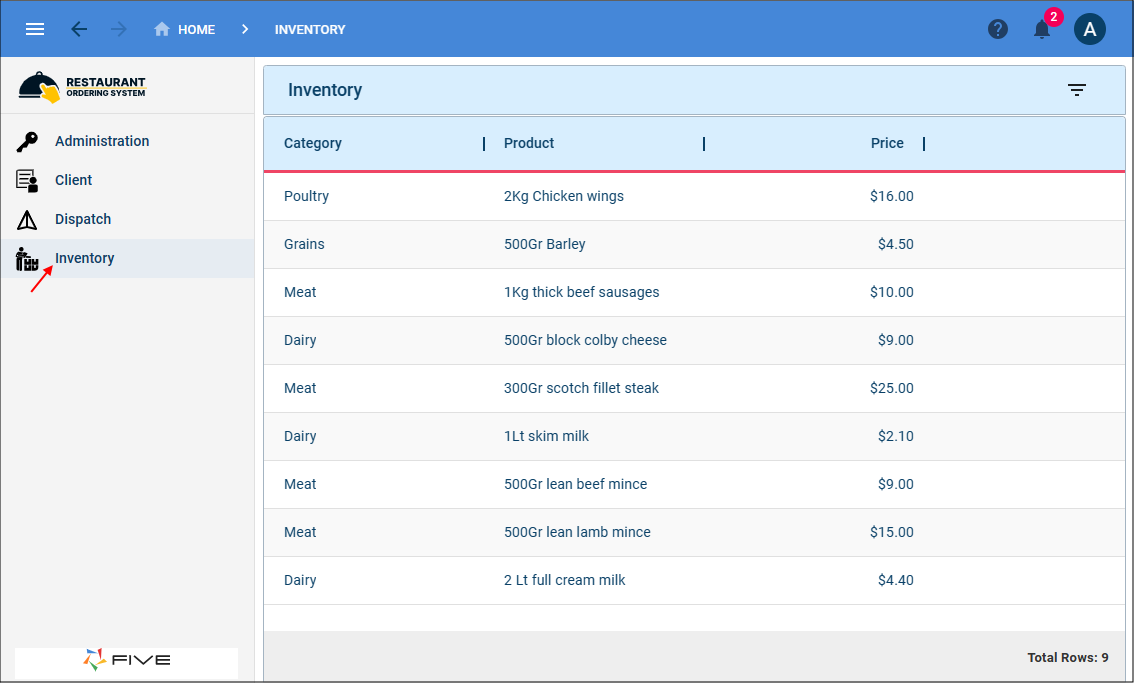
Figure 5 - Selected menu item
Five's Actions
The following is a list of Five's actions.- Forms
- Data Views
- Charts
- Dashboards
- Reports
- Processes
- Mail Merges
tip
Remember you do not have to reference an action if you are creating a sub-menu!