Add Your Privacy Policy
Last updated 28/10/2025
You can add your privacy policy which is a legal statement that outlines how your organization collects, uses, shares, and protects people's personal information.
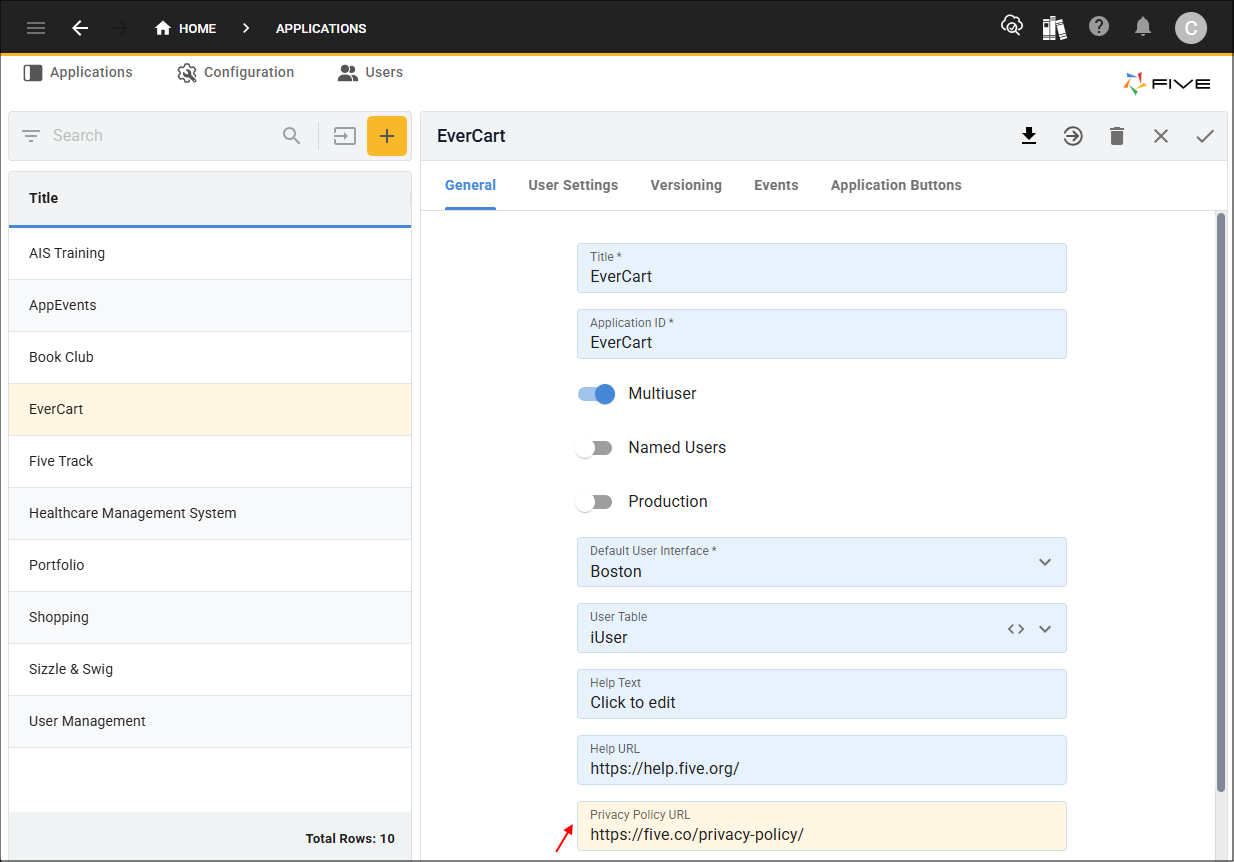
To add your privacy policy you need to provide the URL in the Privacy Policy URL field on the application record.
Add Privacy Policy
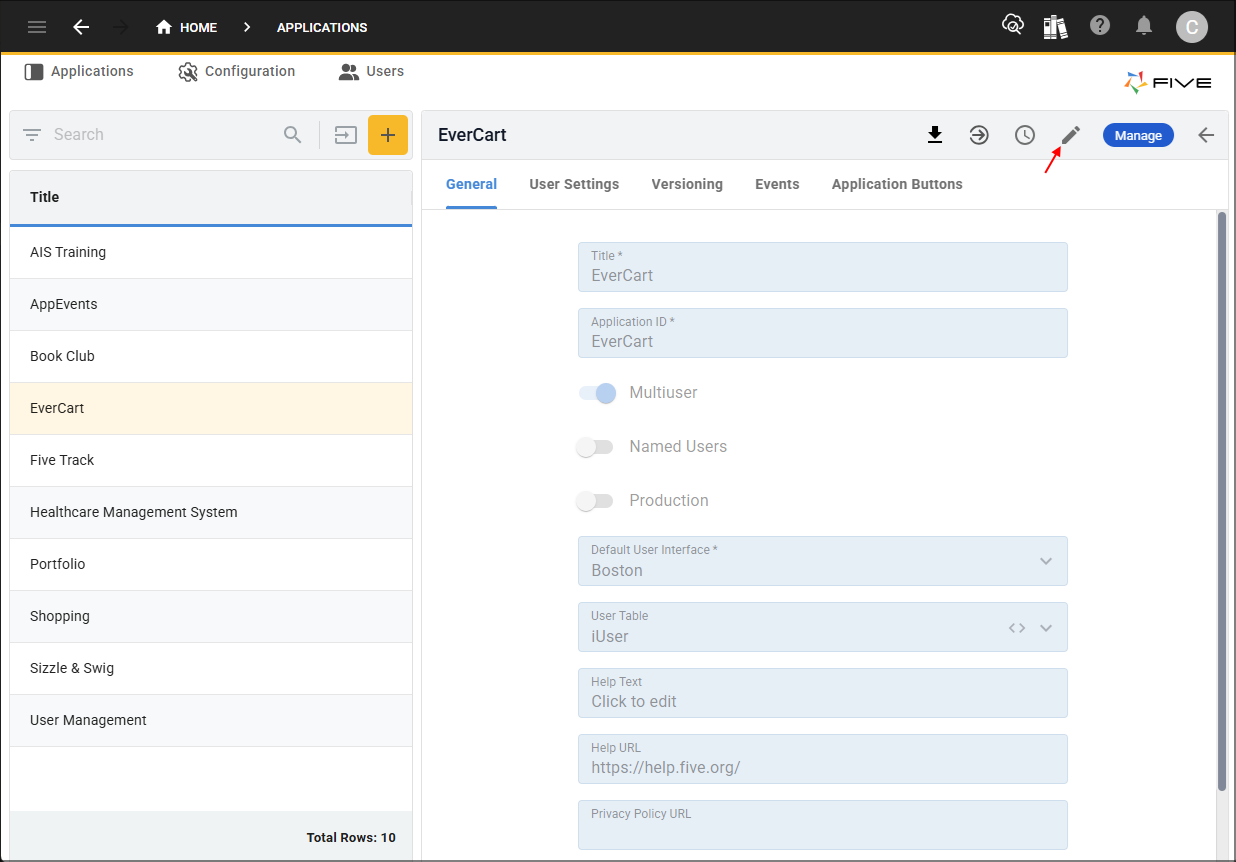
1. Select the application record in the list.2. Either click the Edit button in the form app bar or click directly in the Privacy Policy URL field.
3. Add your privacy policy URL in the Privacy Policy URL field.
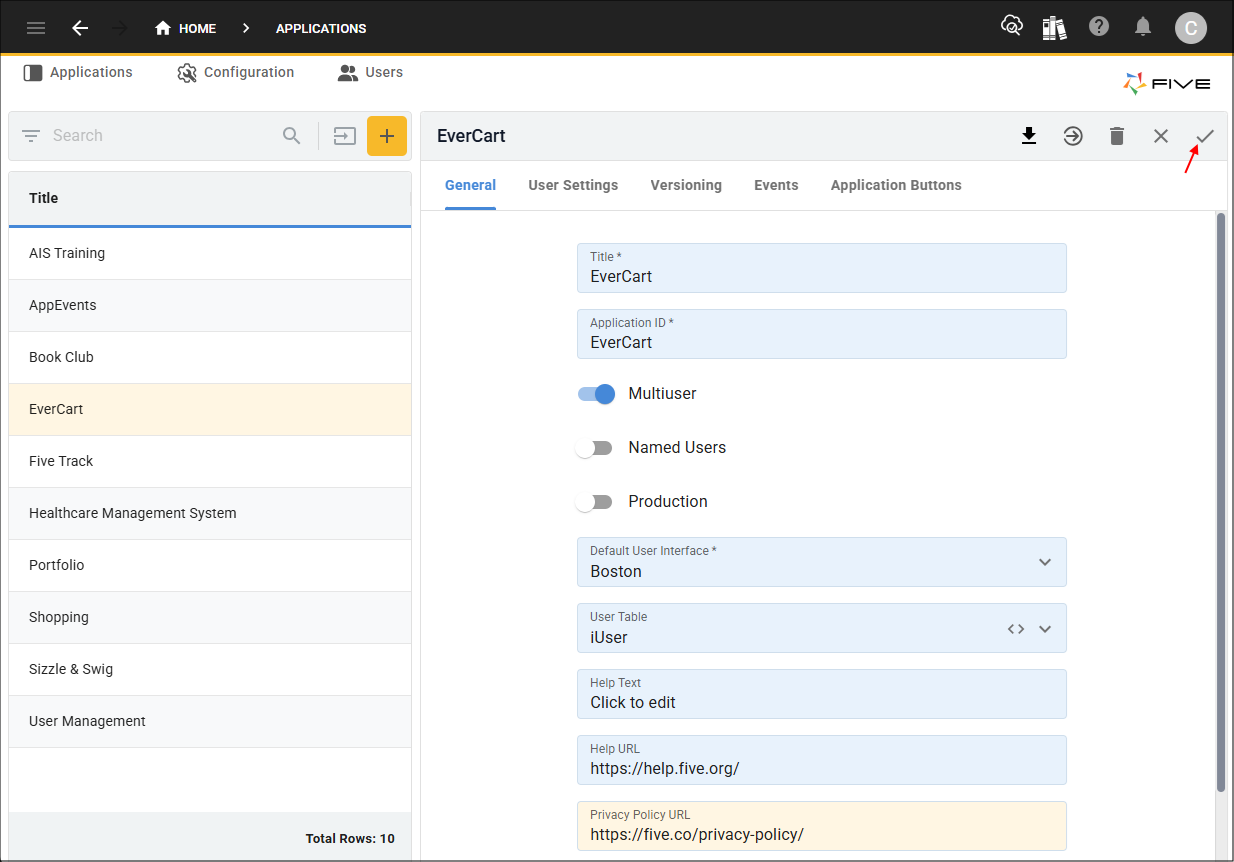
4. Click the Save button in the form app bar.
Where is Your Privacy Policy Available?
Adding a privacy policy link for your application will make the policy available in the Cookie Settings before Five's privacy policy. When the link is clicked, the policy will open in a new browser tab. If a URL has been added to an instance record, this will take precedence over the application-level.
When a privacy policy URL has been added at the application-level, Five will use your application title and put it in the URL in the cookie settings. For a URL privacy policy set st the instance-level, Five will use your instance name.