Email Templates
Last updated 17/10/2025
Tags Tool
The Tags tool will hold the default placeholders which you can use in your email template. These are inserted into your template using
The Tags tool is located in the Toolbar when you create your invite and reset email templates and your mail merge templates.
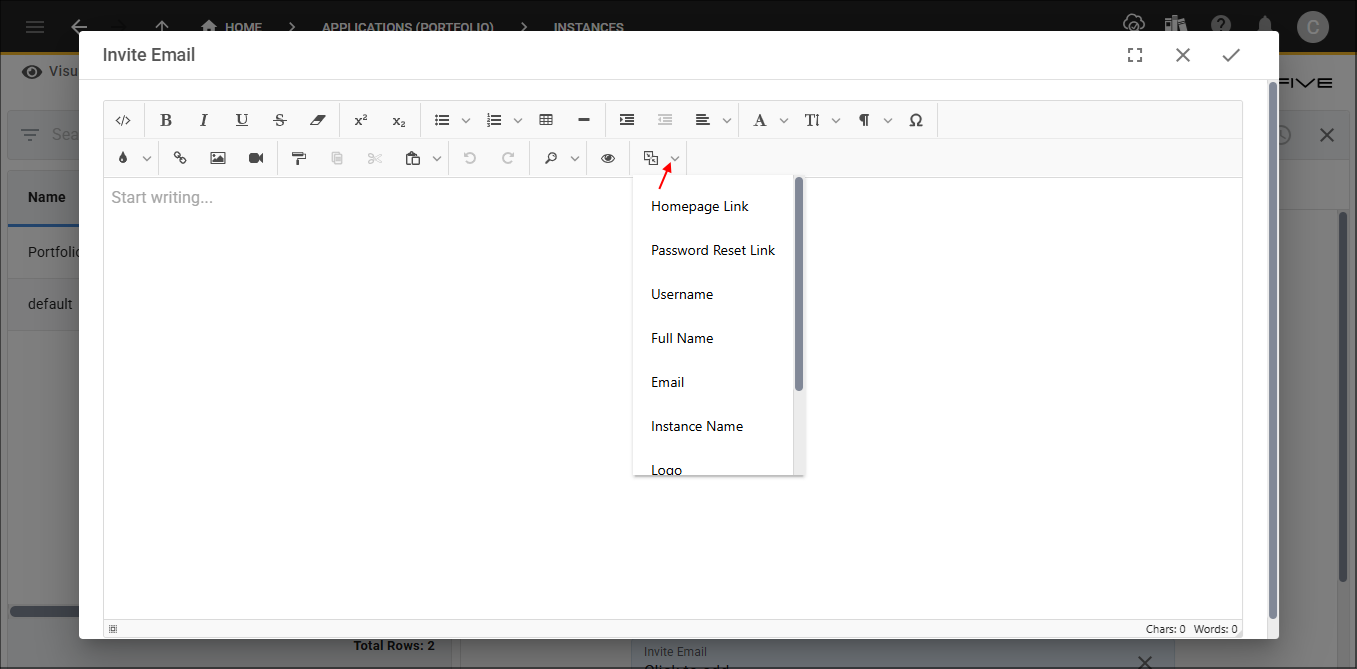
When you use the text editor to create your invite and reset emails, you will see the Tags button. The Tags tool holds placeholders that can be inserted into your template. By default you will have the following placeholders:
- Homepage Link
- Password Reset Link
- Username
- Full Name
- Instance Name
- Logo
- Small Logo
- One Time Password
When you use the text editor to create a mail merge, the following placeholders are available by default in the Tags:
- Instance Name
- Logo
- Small Logo
- Homepage Link
Tags in mail merges will also have your data fields and any screen fields you add.
Homepage Link and Password Reset Link
The Homepage Link will navigate a user to your Homepage where they can sign in. The Password Reset Link will navigate a user to the Reset Password window where they can reset their password.
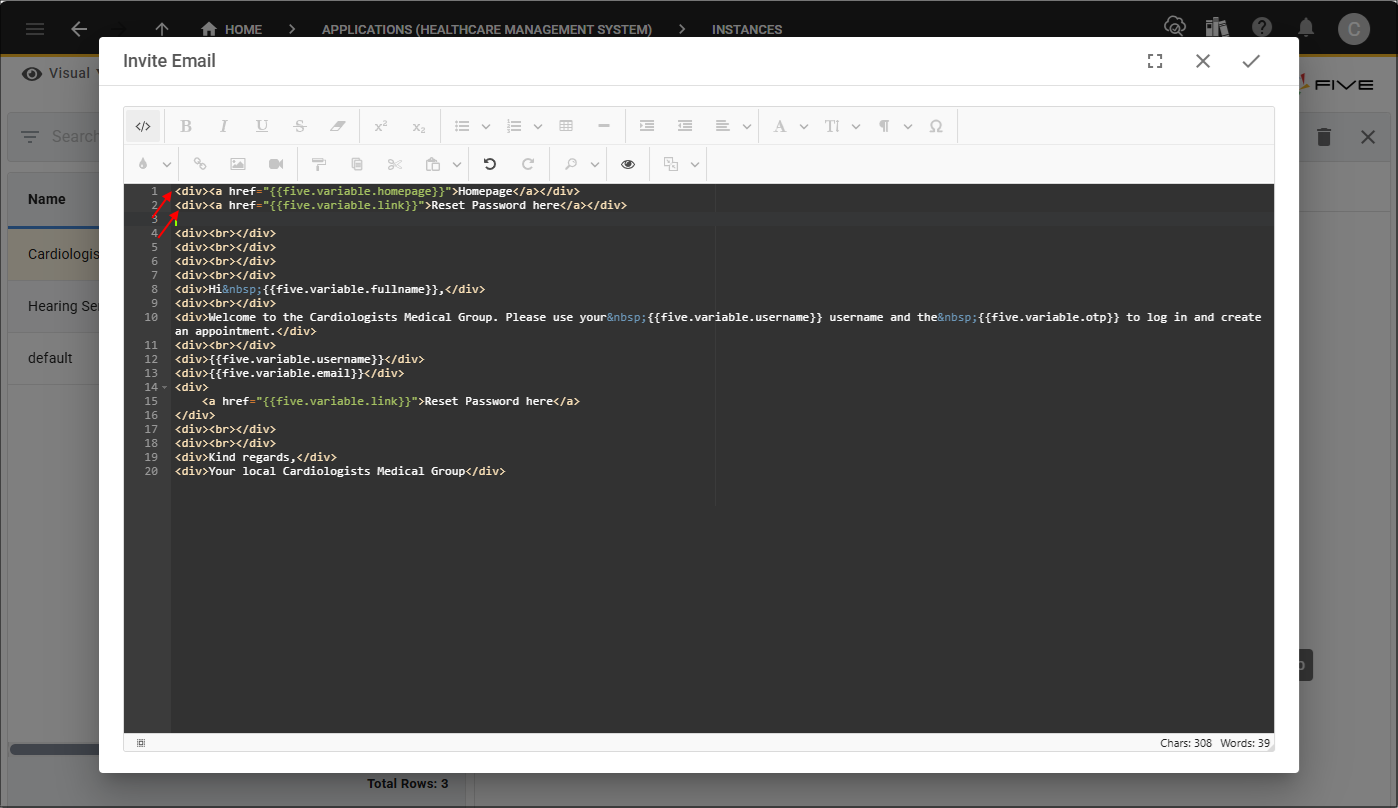
The Homepage Link and Password Reset Link, need the
You will need to click the Change Mode button and add these into your template as shown in the image below.
Username, Full Name, and Email
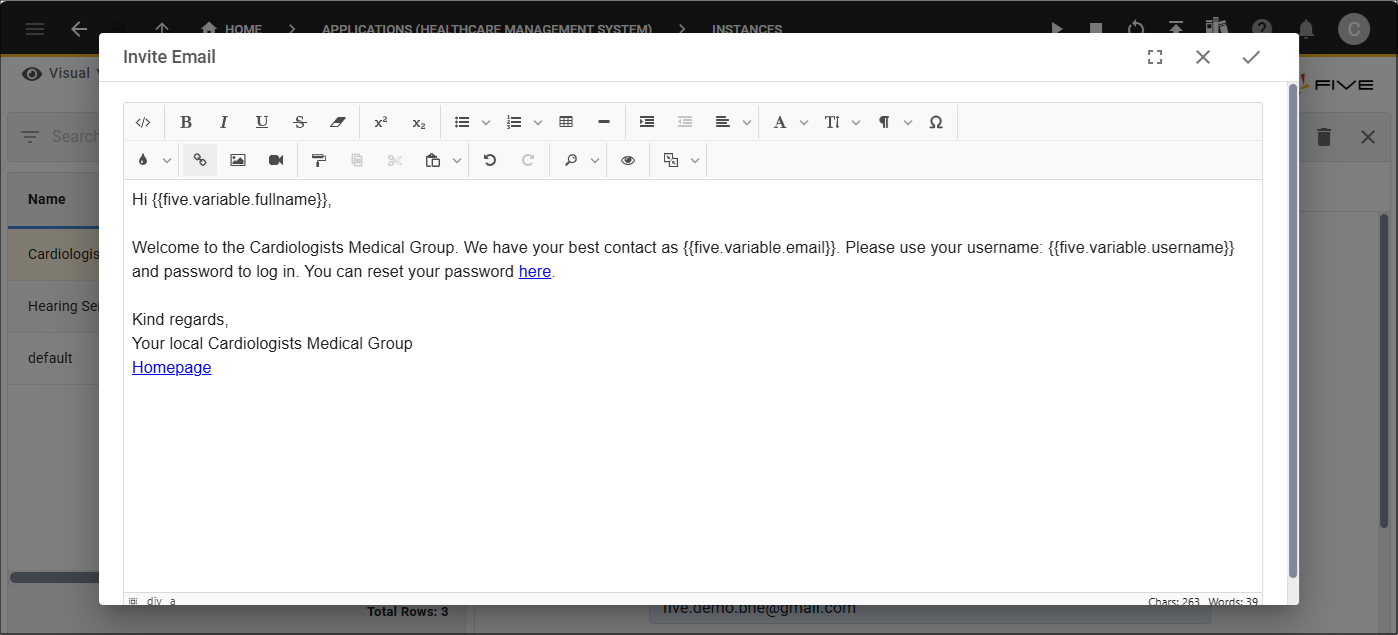
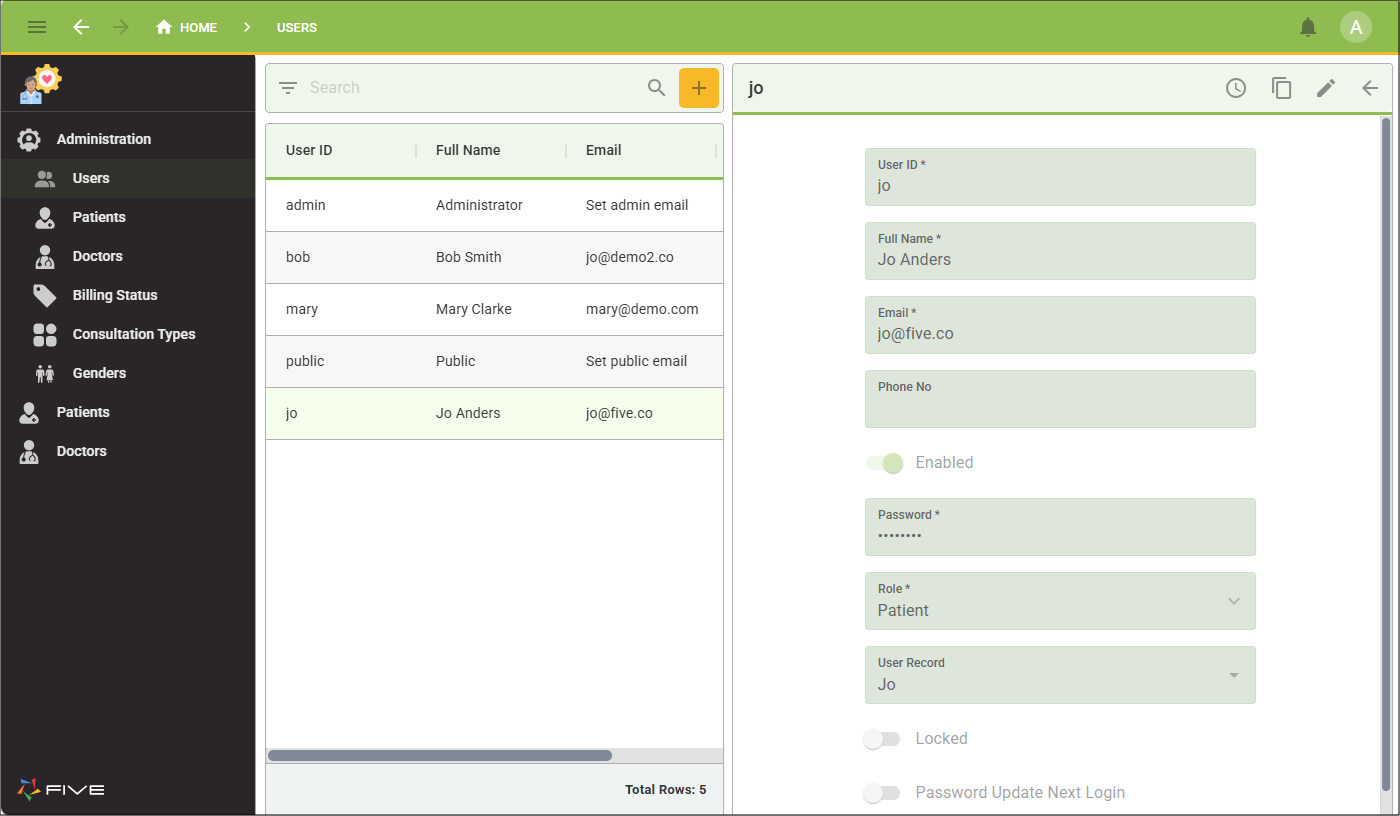
These values will come directly from the User ID, Full Name, and Email fields on your Users form. In the Invite Email template you can see the Username, Full Name, and Email placeholders are being used.
On the Users form in the application, you can see the values in the User ID, Full Name, and Email fields.
When the user was saved in the system, she received an email with these values populated in her email message.

Instance Name
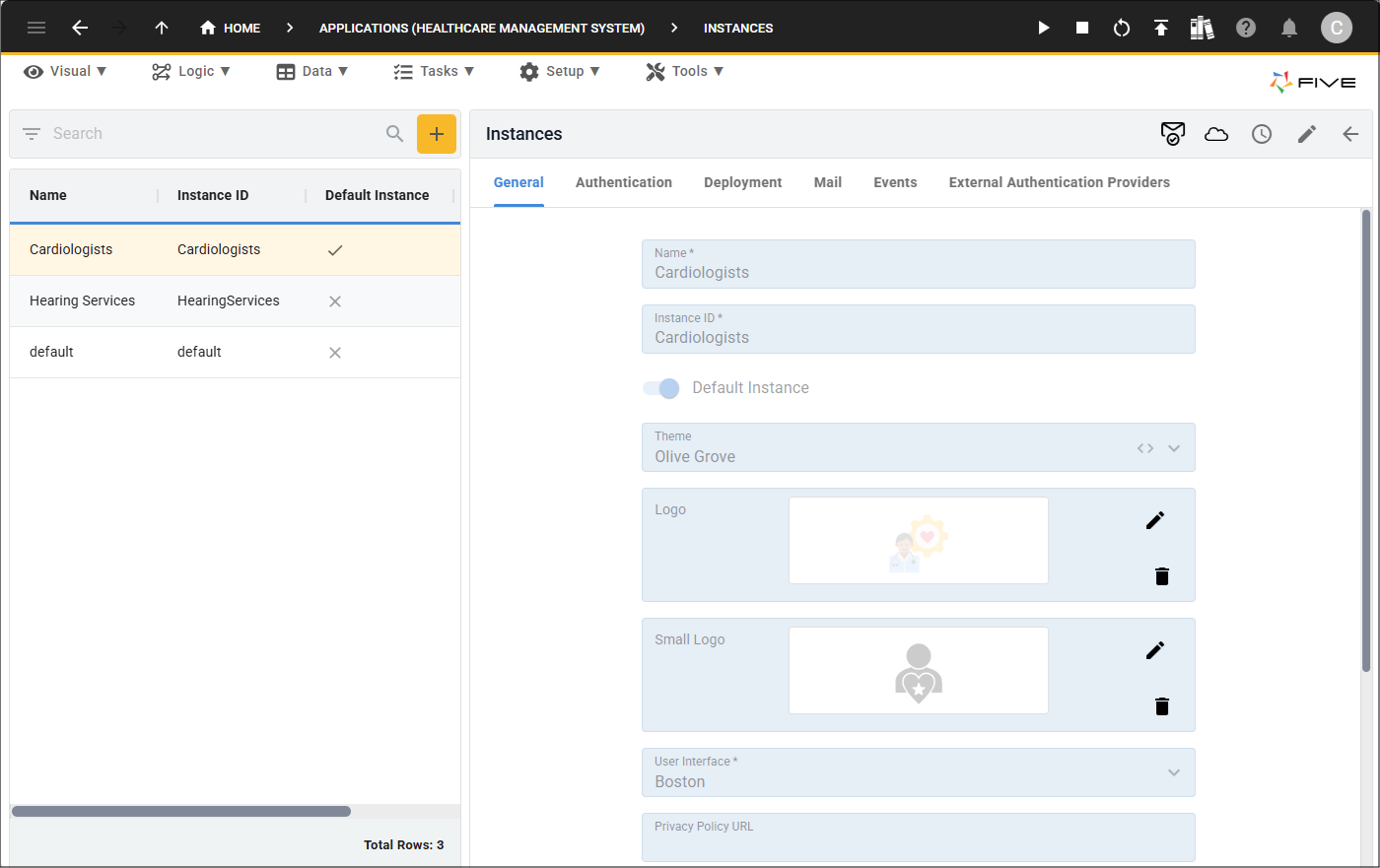
This value will come from the Name field on your Instance record.
Logo and Small Logo
The Logo and Small Logo will come from the images in the Logo and Small Logo fields on your instance record.
The logos, need the
You will need to click the Change Mode button and add these into your template as shown in the image below.
