Advanced Side
Last updated 17/10/2025
🛠️ Advanced Capabilities in Five's Text Editor with HTML & CSS Access
To use the advanced side of Five's text editor, click the Change Mode button.
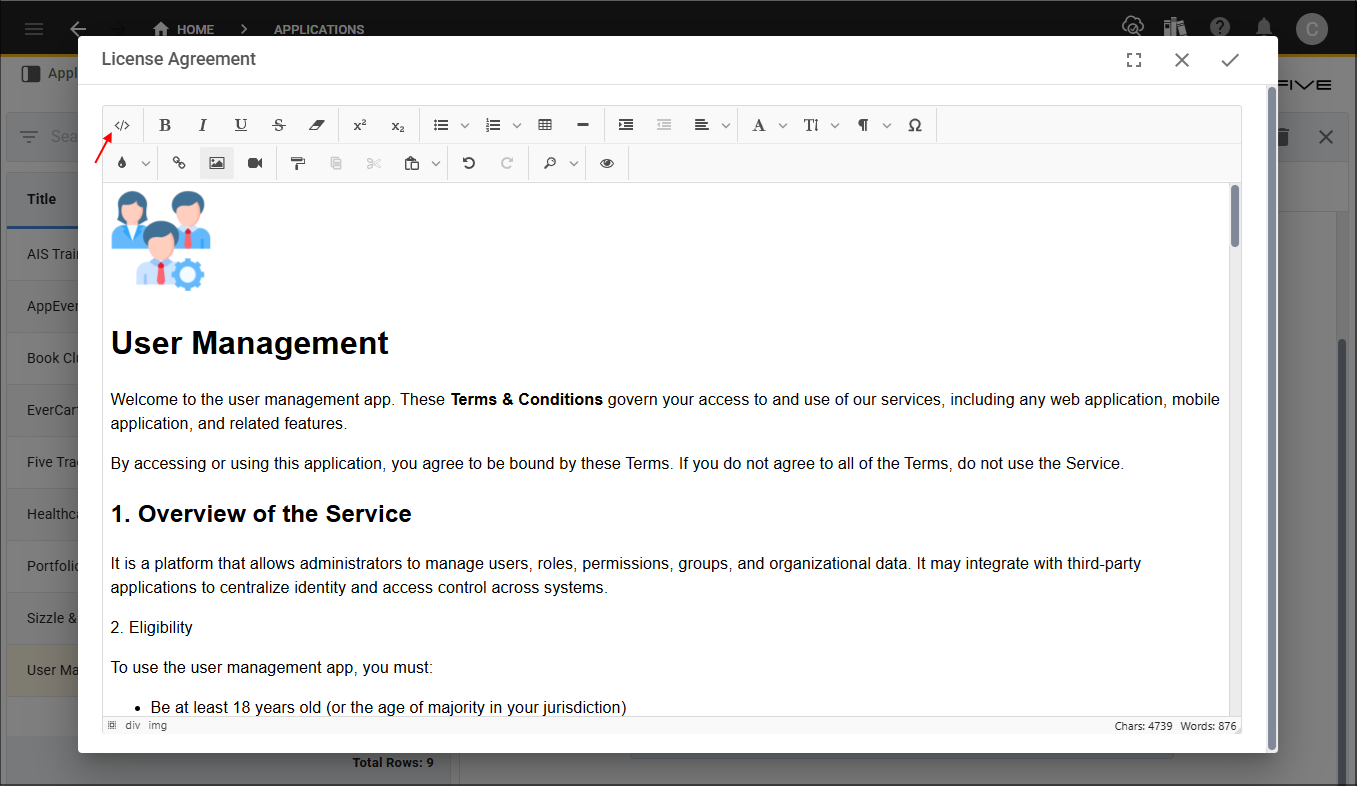
Figure 1 - Change Mode button
Five's text editor supports HTML and CSS, this opens the door to advanced customization and fine-grained control over how content looks and behaves. As a developer this enables you to design more than what the toolbar offers.
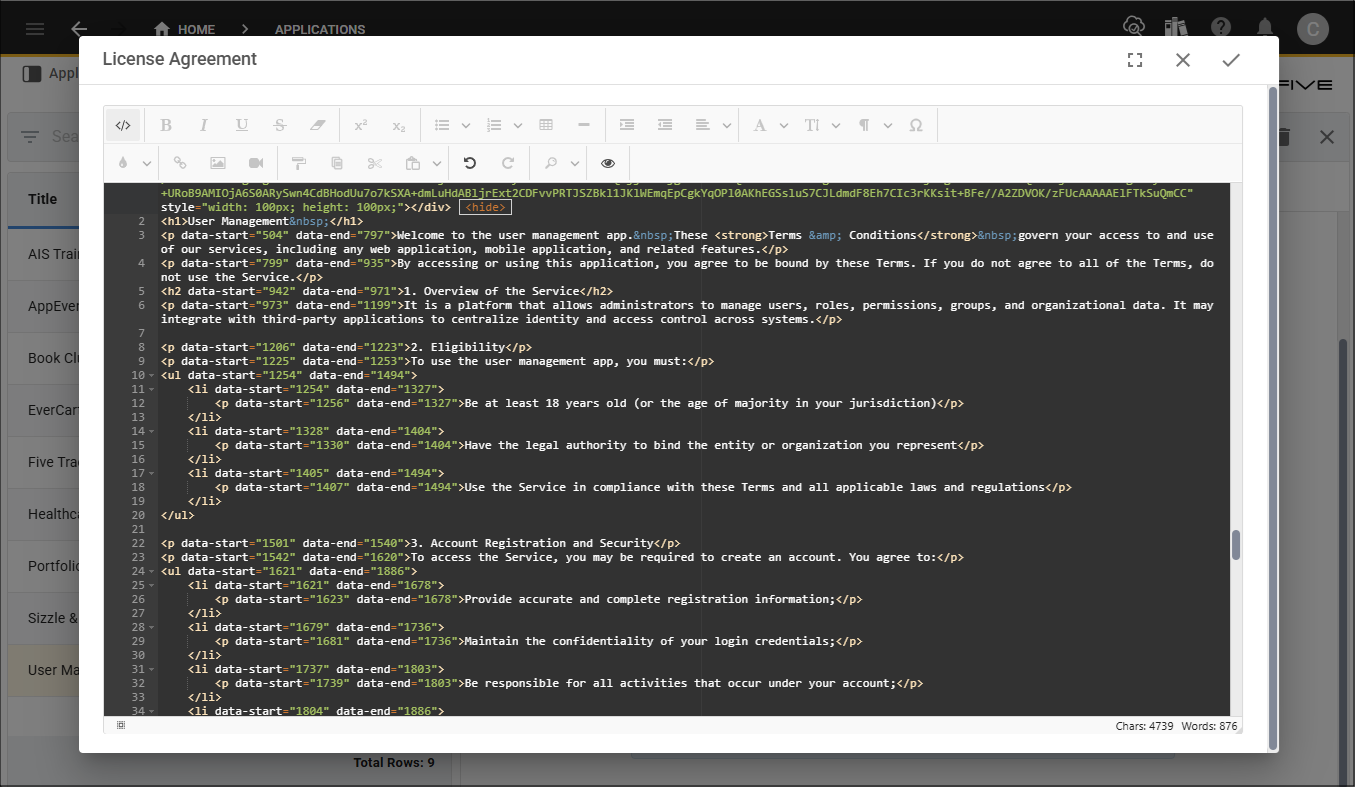
Figure 2 - Advanced side
Custom Styling with CSS
You can apply styles that go beyond basic formatting.
Examples:- Use custom fonts, gradients, or animations
- Add responsive layouts using flexbox or grid
- Change text color, background, borders, spacing, etc
Customize color and font
<p style="color: darkblue; font-size: 18px;">Custom styled paragraph</p>
Gradient background
<div style="background: linear-gradient(to right, #6a11cb, #2575fc); color: white; padding: 20px;">
HTML Structure Control
You can manually structure your content for precision or specific rendering.
Examples:- Use HTML tags like <section>,<article>
- Insert <div>containers for layout grouping
- Build tables with <table>,<thead>,<tbody>, etc
- Embed media or external content with <iframe>,<video>,<audio>
Embed Interactive Elements
You can enhance content with interactive or dynamic elements:
Examples:- Embed forms
Embed form
<form><input type="text" placeholder="Your Name" /></form>
- Add buttons with behavior
Add clickable button
<button onclick="alert('Hello!')">Click Me</button>
Responsive Design
Show and hide elements for certain devices:
Example:Show on mobile
<div style="display: none;" class="mobile-only">Visible only on mobile</div>
Custom Classes for Reuse
You can assign CSS classes to elements, which keeps your content clean and style logic reusable.
Example:Define style class
<p class="highlight">This text uses a predefined style class.</p>
Then define that in your stylesheet:
Predefined style class
.highlight {
  background-color: yellow;
  padding: 5px;
}