Best Practice for a Basic Plan
Last updated 7/10/2025
When on a Basic plan, your development environment is effectively your production environment. If you have your application flagged as the production version, when you perform changes and deploy/run your application, these changes will be pushed instantly to your live application.
You can have three applications in your plan, only one of these can be flagged as your production application. The application flagged as your production application will continue to run in the development environment, as effectively this is your production application for your end-users to use. The other two applications, will drop out in the development environment after two hours of inactivity.
It is a good idea to use one of these applications to replicate your actual production application. This will effectively give you a testing area and when you are happy with your changes, you can apply them to your production application and upgrade your production version with minimal downtime. It will ensure you can continue to develop your application without disrupting your users, and only changes that you are happy with are deployed to your production application.
Creating a Non-production Application
Let's look at an example. Let's say you have an application called Book Your Fitness and you have performed your initial development for this production application, it is running in the cloud and your end-users are using it.
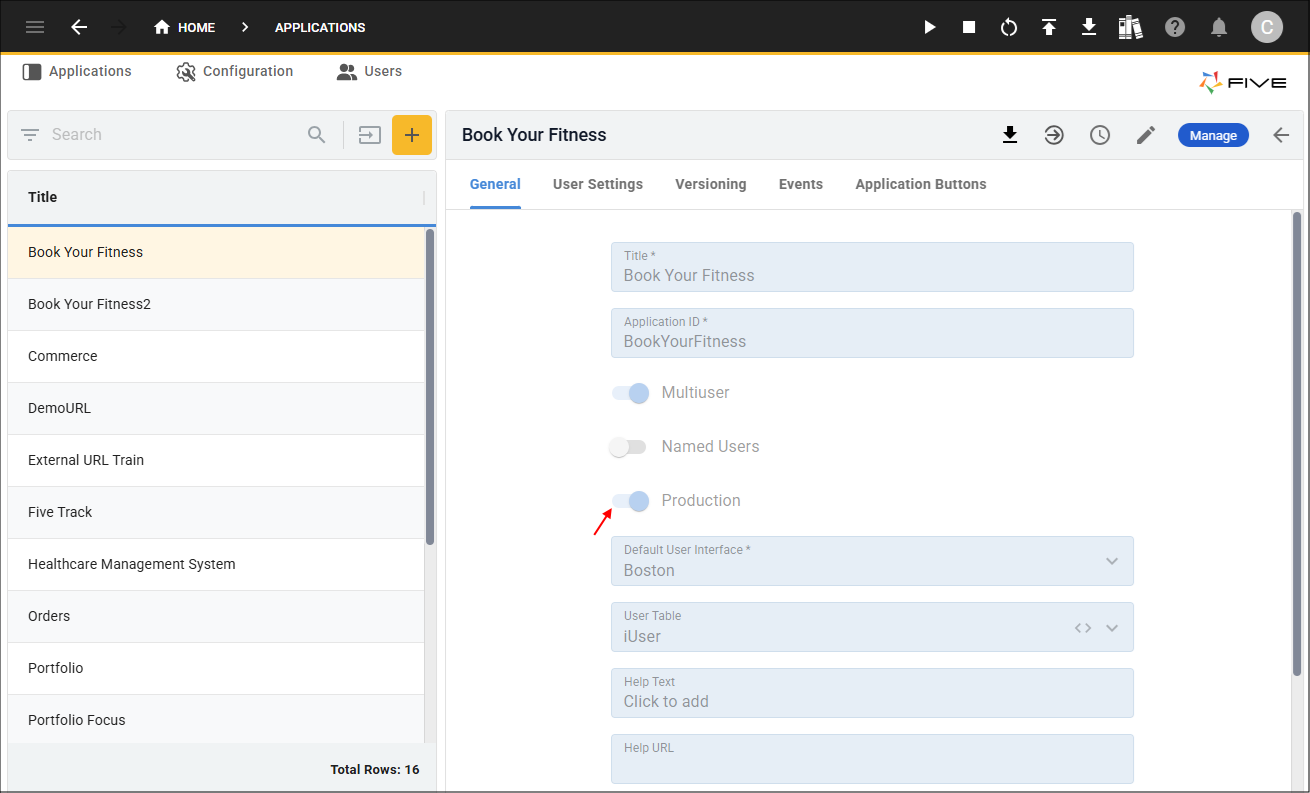
Now you decide you want to extend your application and make some changes. While you are developing the changes, it is recommended you use a copy of your production application for your development and deploy this application to see your changes, this will ensure your end-users will not see your changes until you are ready. Once you are happy with these changes, you can remove your production application from deployment at a time that best suits you, apply the changes, and re-deploy your production application.
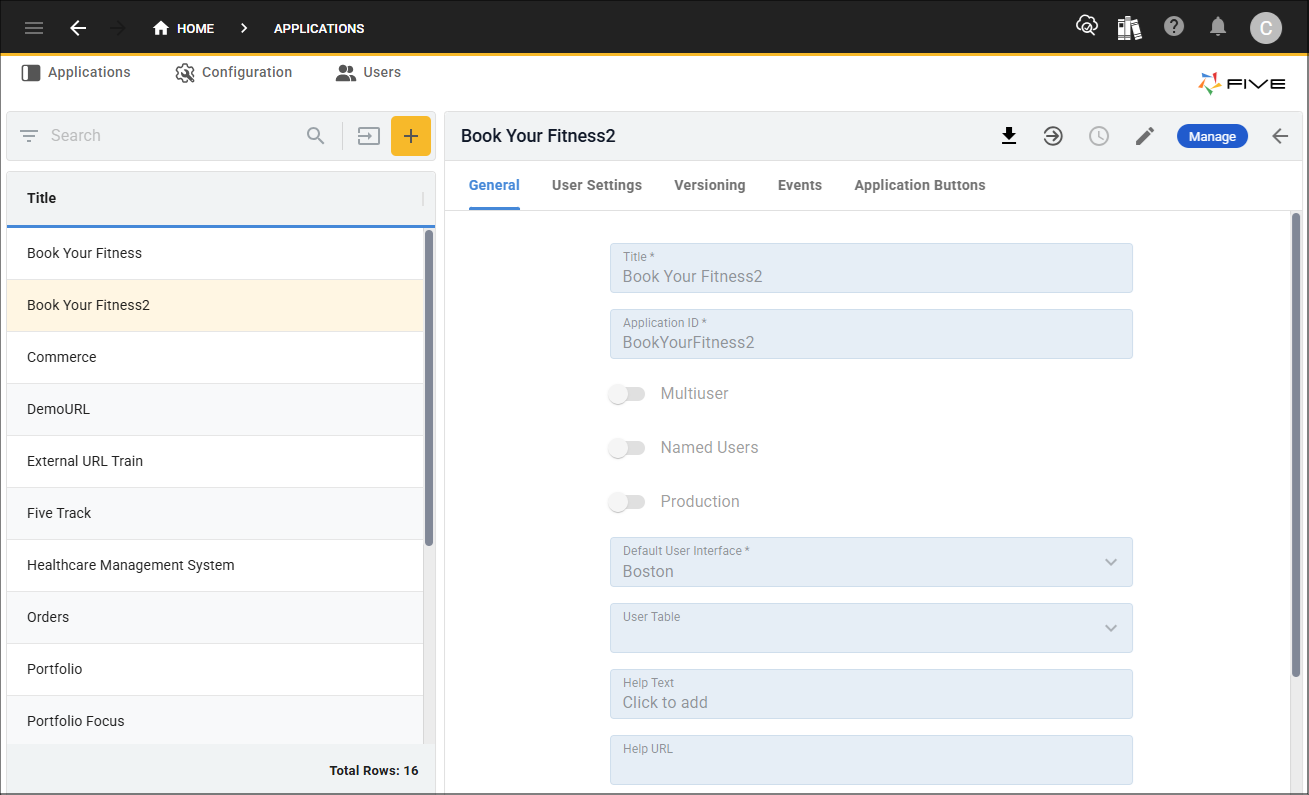
In the image below, you can see a copy of the Book Your Fitness application called Book Your Fitness2, this application has the Production switch off. You can use this application to deploy to the cloud and see your changes before applying them to your production application. The URL for the development application should not be shared with your users and after two hours of inactivity it will close down, at this point, you will need to remove your application from the development environment and re-deploy again.