Add Help
Last updated 23/10/2025
Add Application Help Documentation
1. Select your application record in the list.2. Either click the Edit button in the form app bar or click directly in the Help Text field.
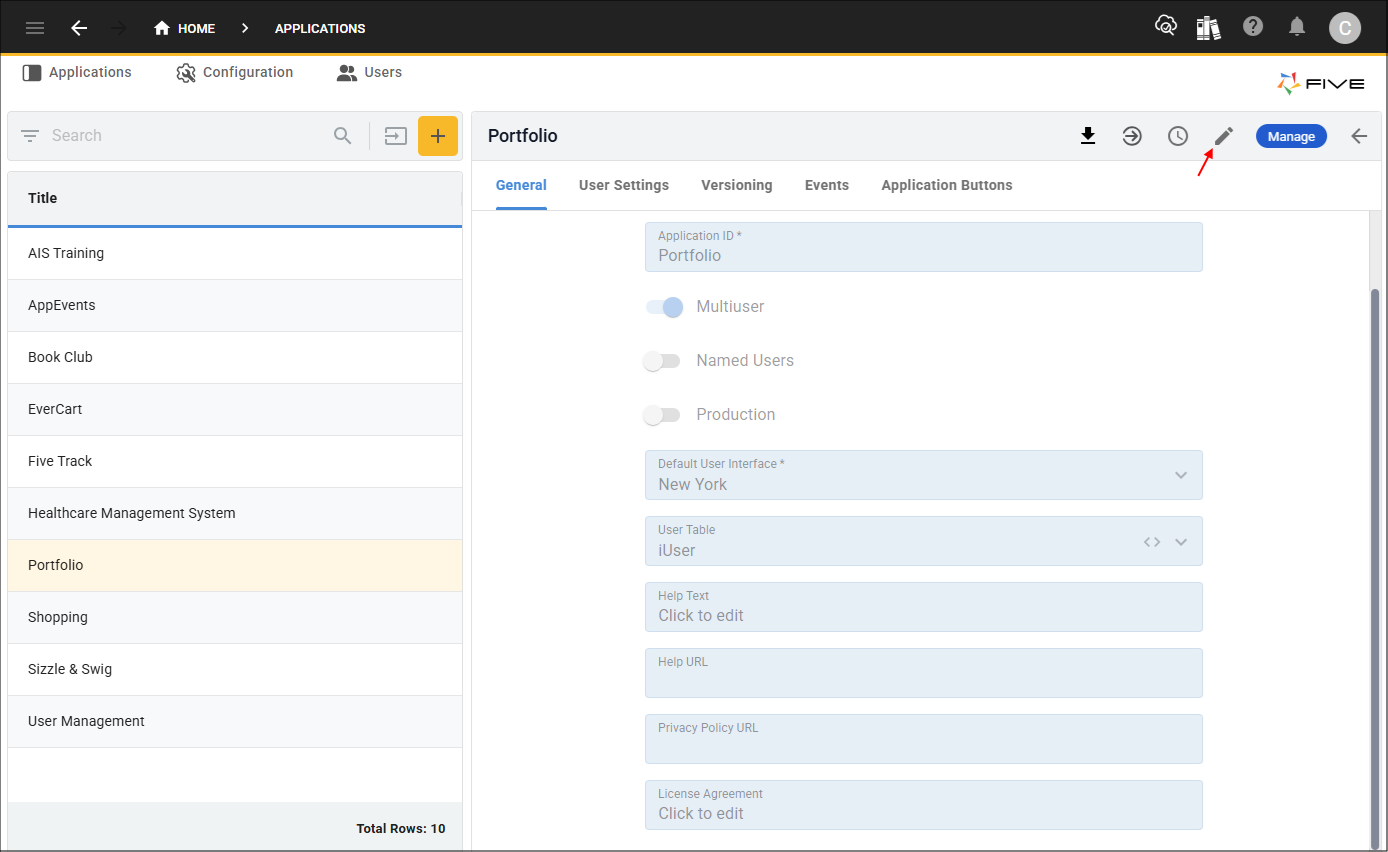
Figure 1 - Edit button
3. Click in the Help Text field to open Five's Text Editor.
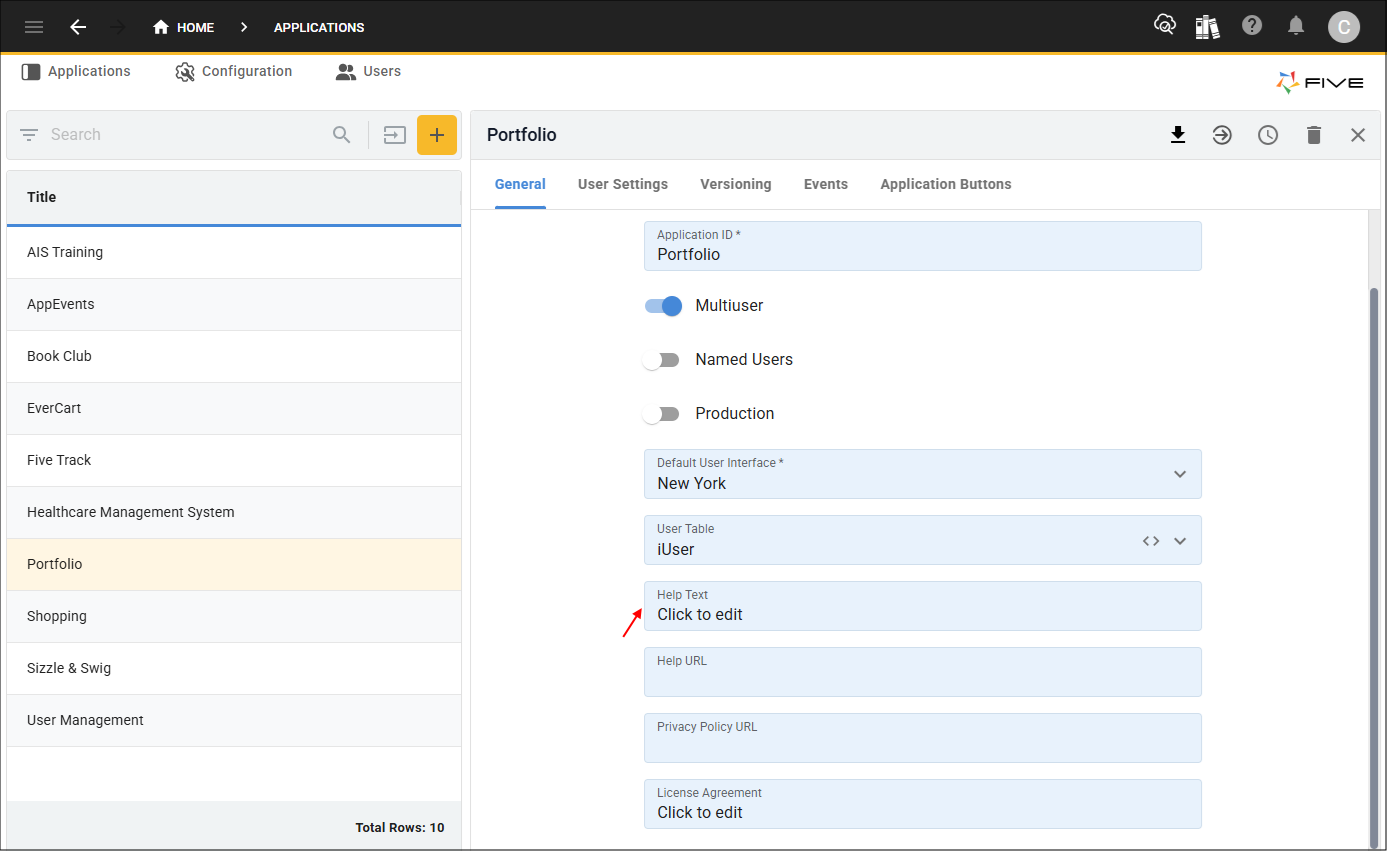
Figure 2 - Help Text field
4. Use the editor to add and design the help content for your application.
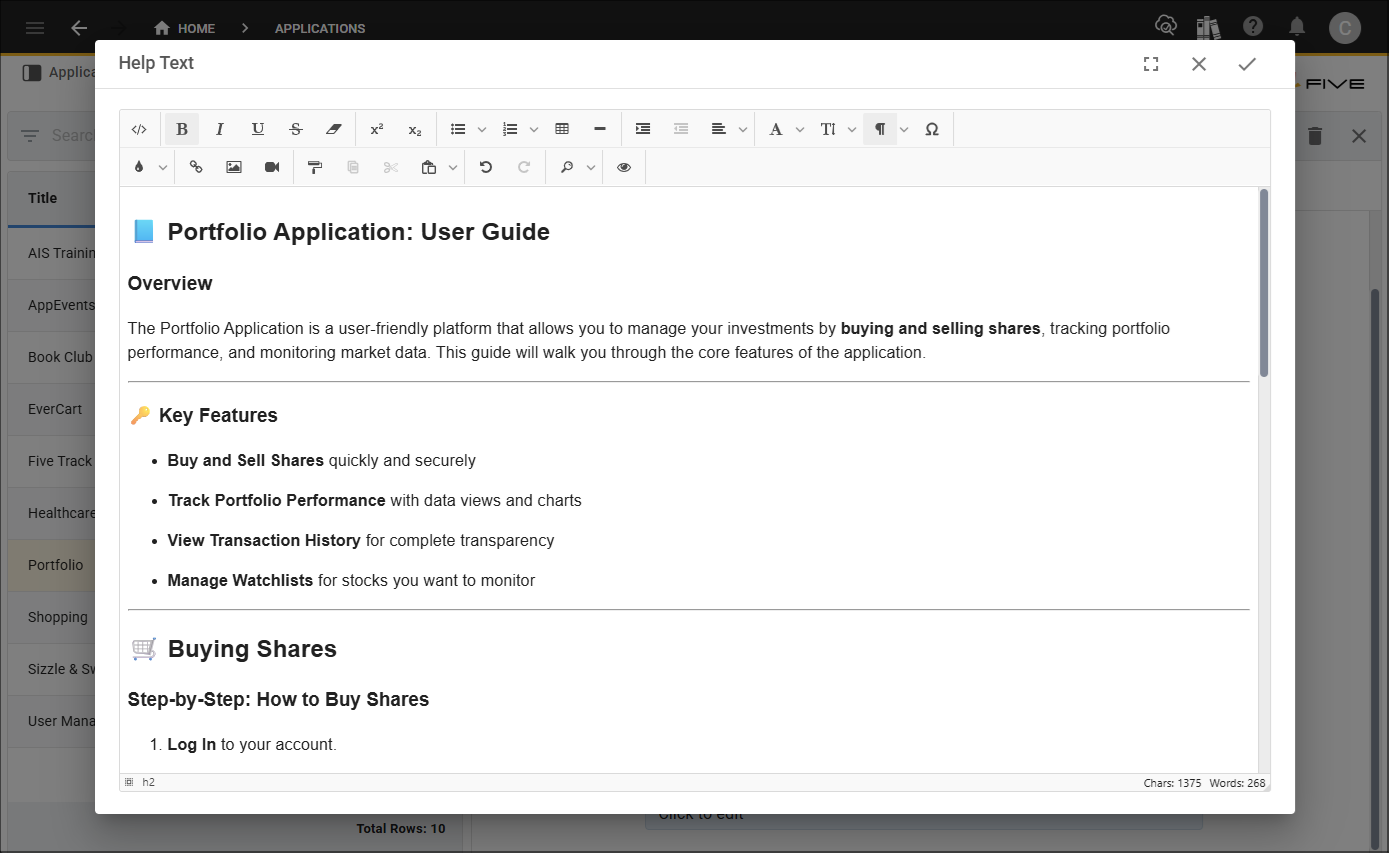
Figure 3 - Add your help content
5. Click the Save button in the editor app bar.
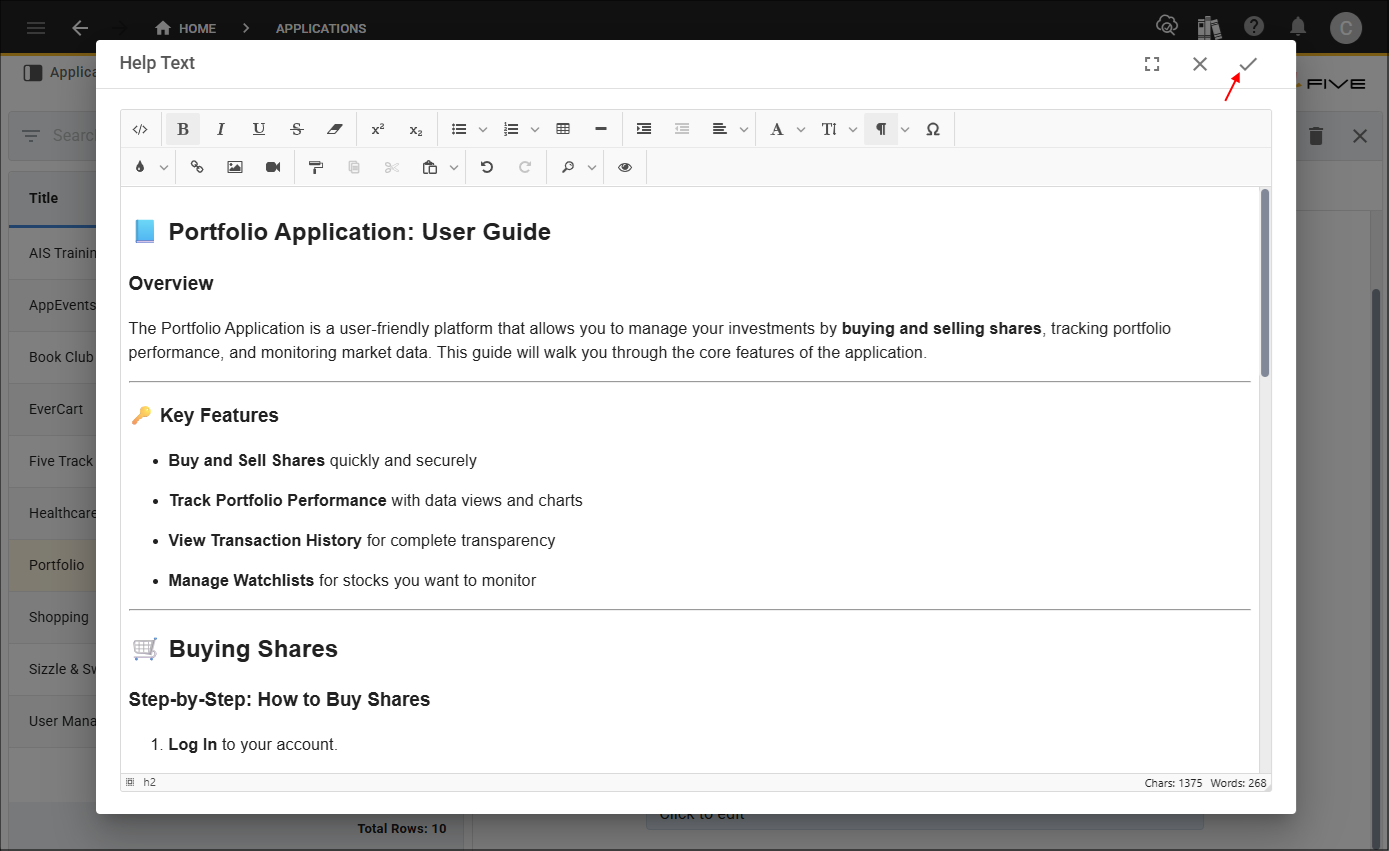
Figure 4 - Save button
6. Click the Save button in the form app bar.
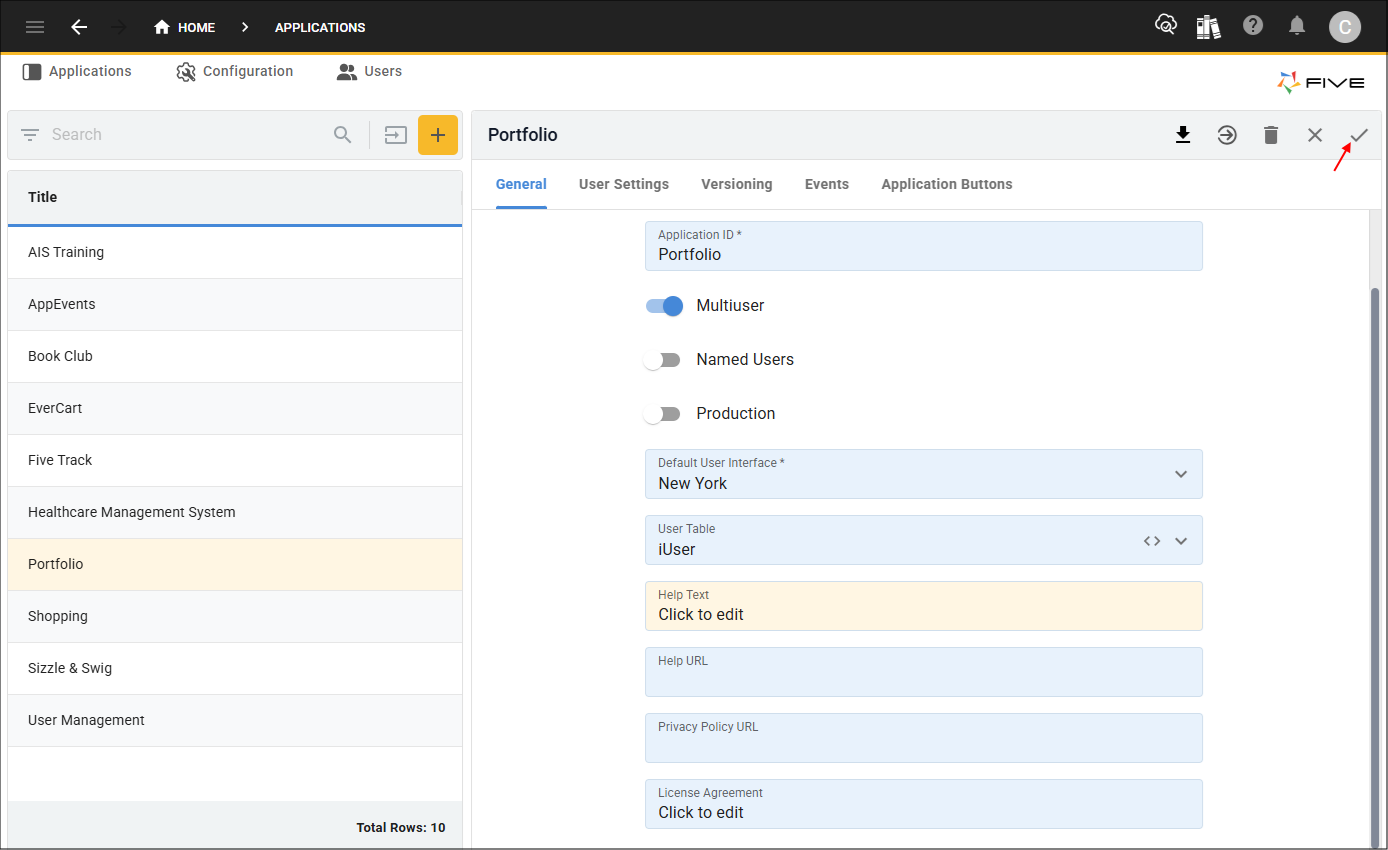
Figure 5 - Save button
Add Help Documentation
1. Navigate and select the record you want to add help to.2. Either click the Edit button in the form app bar or click directly in the Help Text field.
note
If you are wanting to add help for a form field, you will need to navigate to the field-level on a form record.
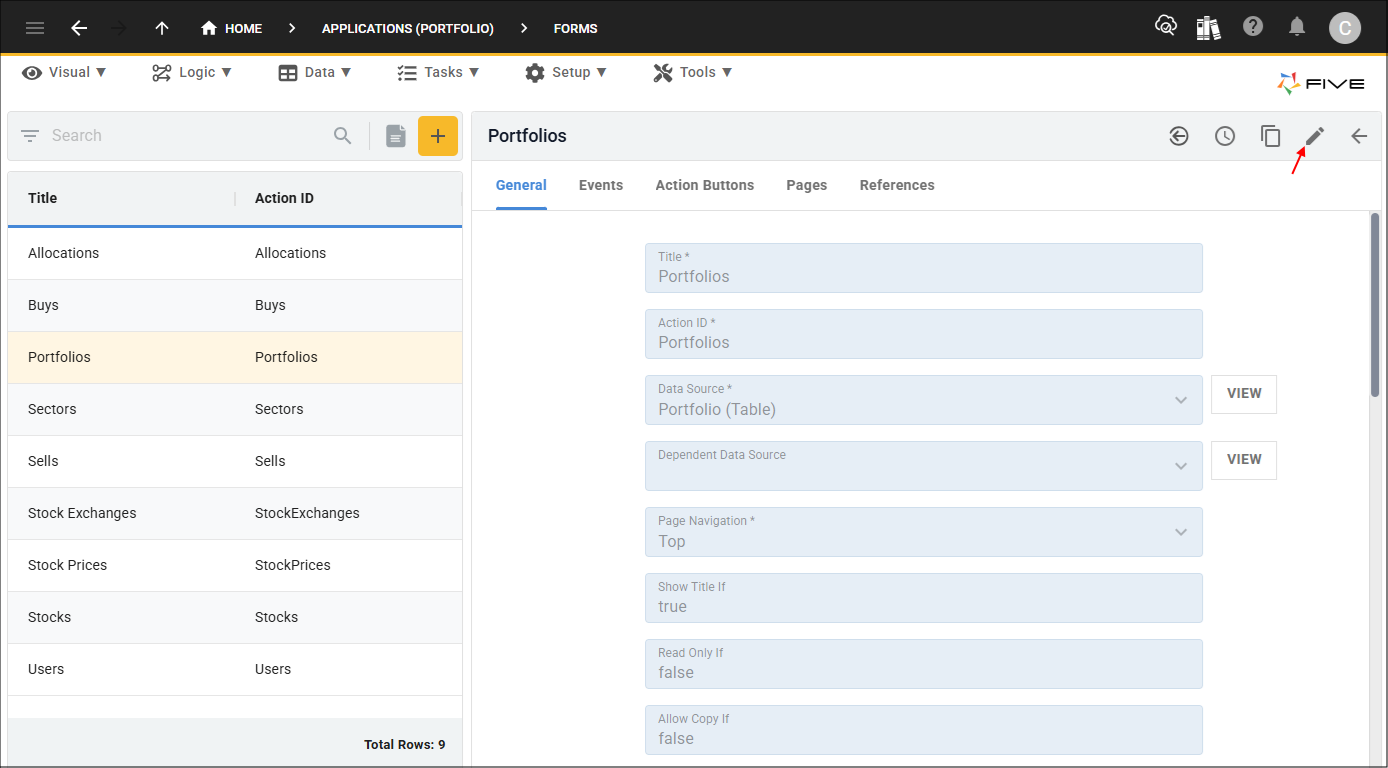
Figure 6 - Edit button
3. Click in the Help Text field to open Five's Text Editor.
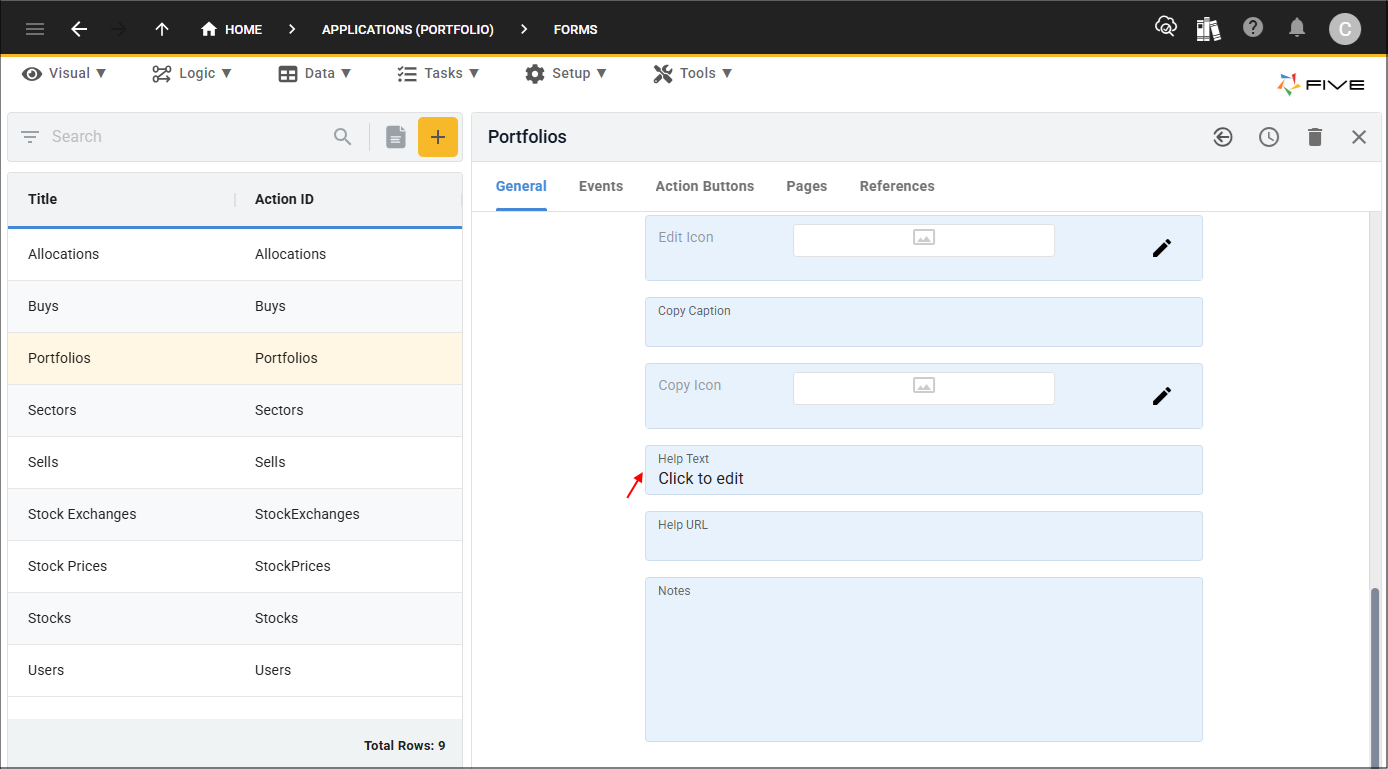
Figure 7 - Help Text field
4. Use the editor to add and design the help content for your application.
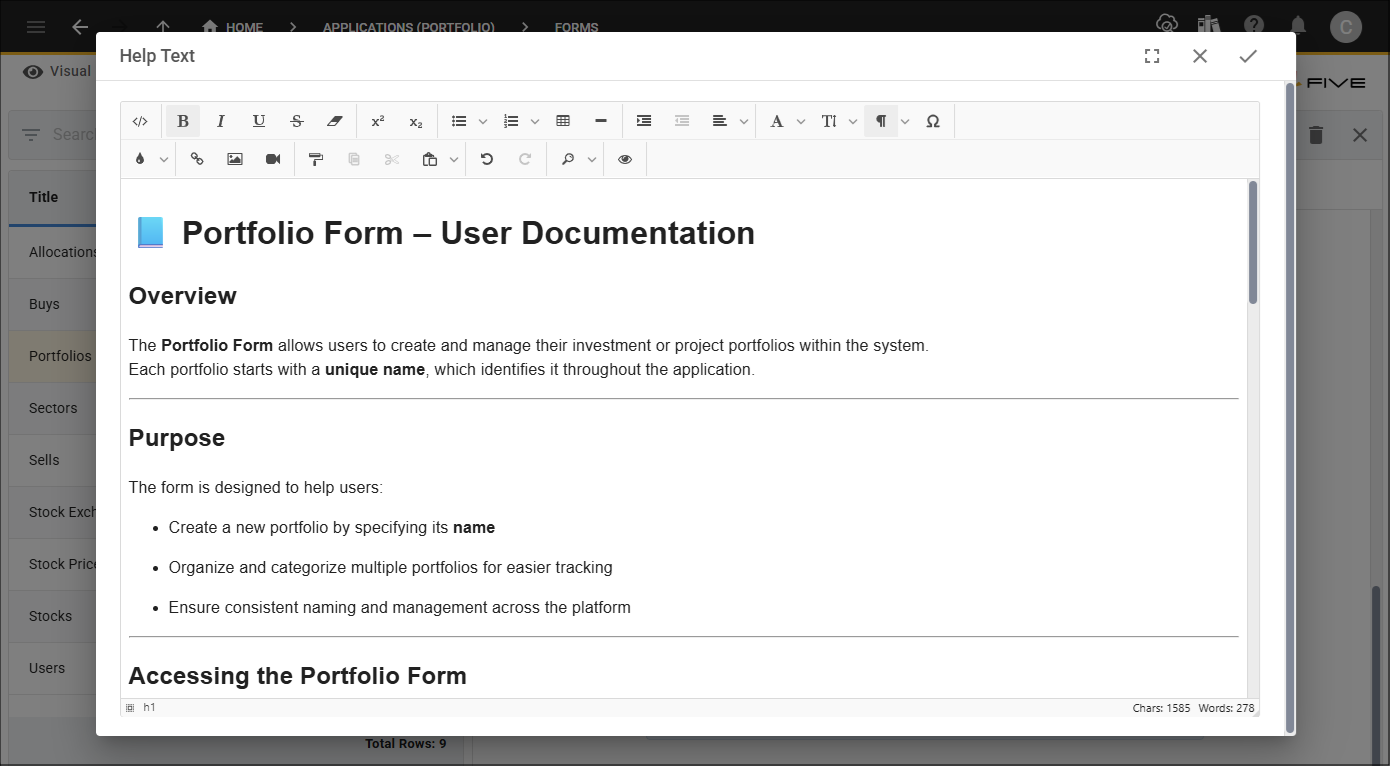
Figure 8 - Add your help content
5. Click the Save button in the editor app bar.
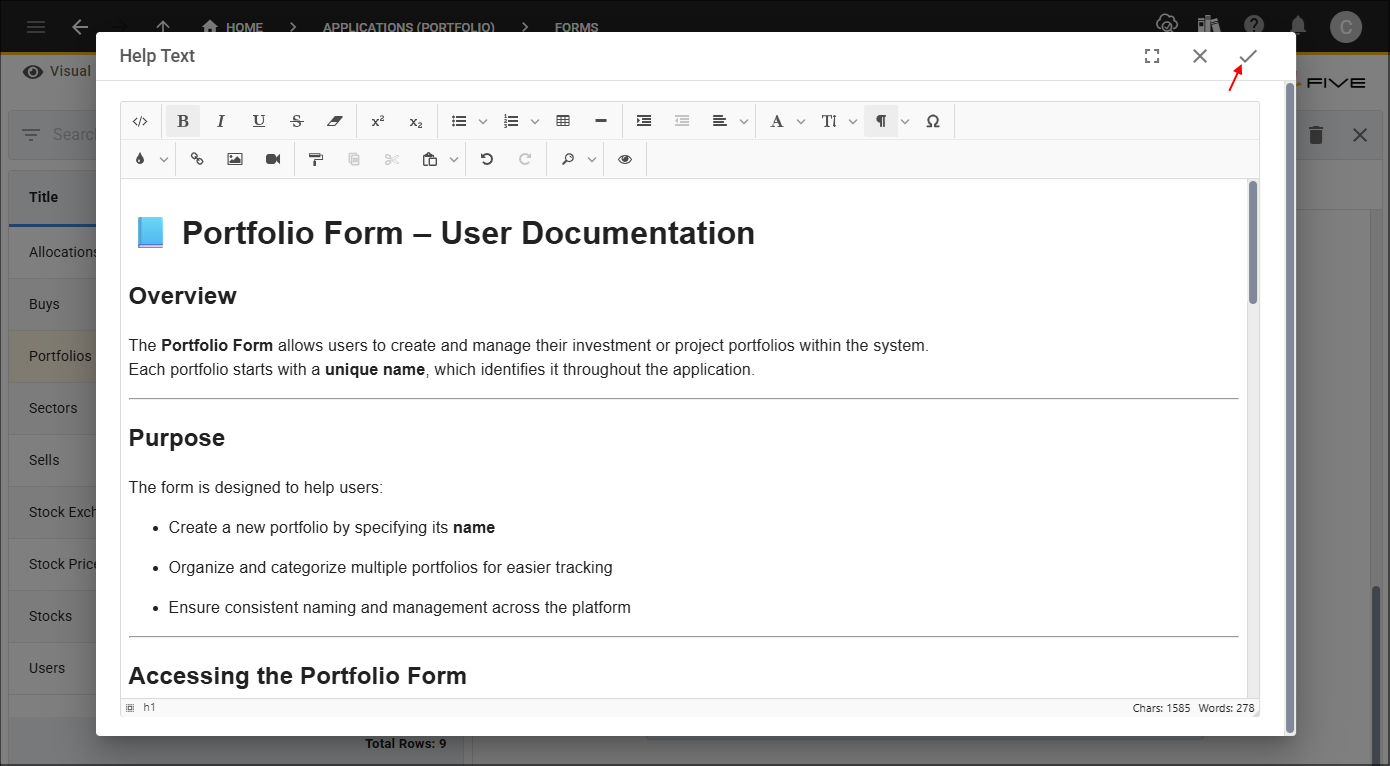
Figure 9 - Save button
6. Click the Save button in the form app bar.
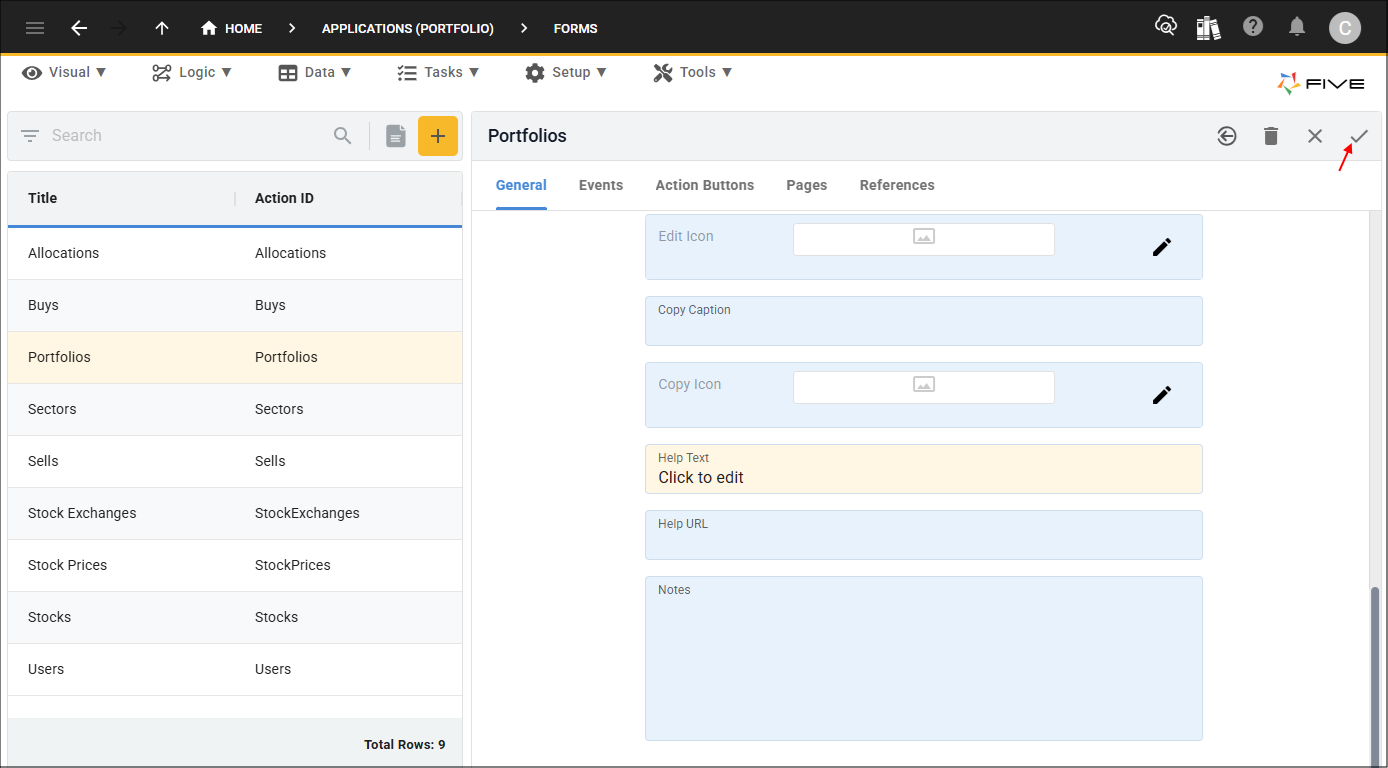
Figure 10 - Save button