Recipes Application
Last updated 17/05/2023
Before we begin to create the cards for the Recipes application, we need to create the application.Create the Recipes Application
1. Click the Add Item button in the Applications View.2. Type Recipes in the Title field.
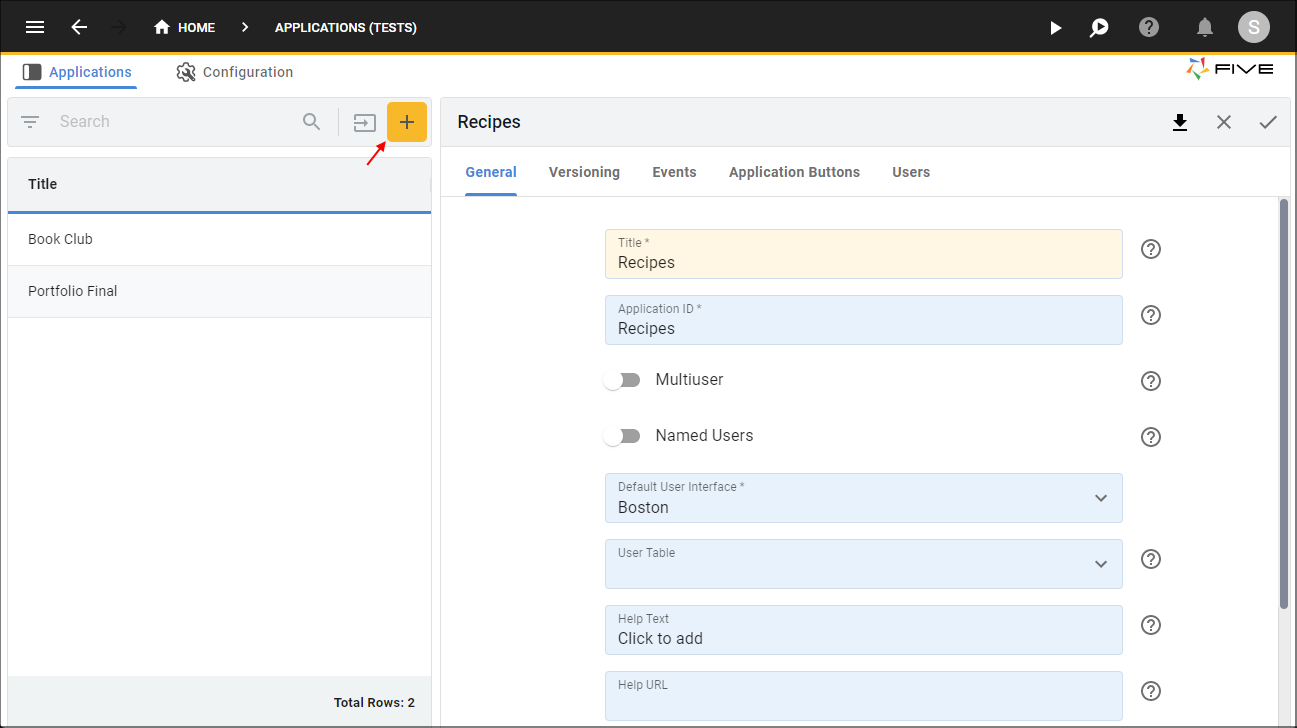
Figure 1 - Add the Recipes application
3. Click the Save button in the form app bar.

Figure 2 - Save the Recipes application