FormField
Last updated 19/12/2025
FormField Object
The
FormField
object represents a single input on a form, such as a text, lookup, checkbox, or date, and provides a structured way to work with it in
your application to have access to additional functions and properties of a specific field on a form.
What the FormField Object Does
- Holds a field's value (what a user has entered or selected)
- Knows its state (for example: required, read-only, visible, valid/invalid)
- Handles validation rules (like required fields or format checks)
- Allows programmatic control (setting values, clearing the field, enabling/disabling it)
Functions
If a field is using a _LookupCustom display type, the following functions are available.
clearOptions()
The
clearOptions()
function clears all options that are currently assigned to the lookup custom control.

Clearing the options for the lookup custom control in the form field
function PopulateAllergies(five, context, result)  {
    const sender = five.sender();
    const allergyNoticeField = sender.tabs[0].dataManager.getFormFieldTypeByID('AllergyNotice');
    allergyNoticeField.clearOptions();
    return five.success(result);
}
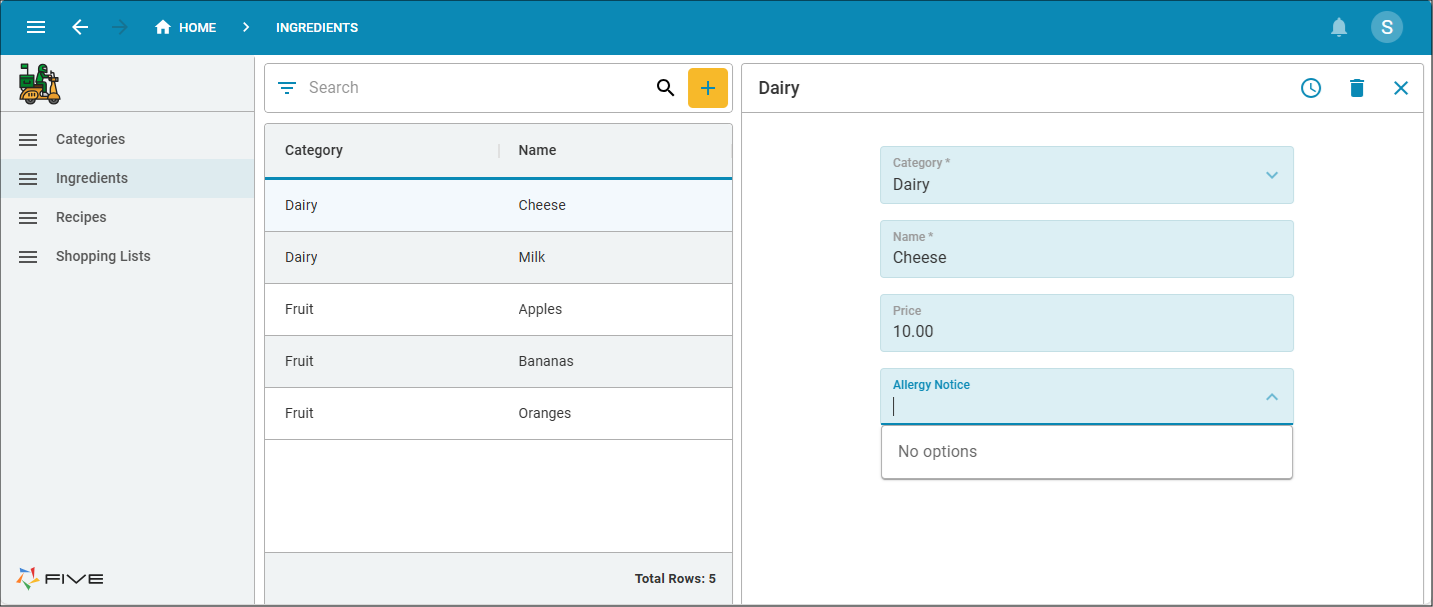
Figure 1 - Clearing the options
addOption()
The
addOption()
function adds additional options to the lookup custom control which can be selected by a user at runtime of your application.
Available
Client
Function Signature
addAttachment(key: string, value: string) : void;
| Parameter | Type | Description |
|---|---|---|
key | string | The key associated to the value |
value | string | The value to display in the lookup |
Example
Adding the options to the lookup custom control in the form field
function PopulateAllergies(five, context, result)  {
    const sender = five.sender();
    const allergyNoticeField = sender.tabs[0].dataManager.getFormFieldTypeByID('AllergyNotice');
    allergyNoticeField.clearOptions();
    allergyNoticeField.addOption('milk', 'Milk');
    allergyNoticeField.addOption('fish', '(e.g., bass, flounder, cod)');
    allergyNoticeField.addOption('crus', 'Crustacean shellfish (e.g., crab, lobster, shrimp)');
    allergyNoticeField.addOption('tree', 'Tree nuts (e.g., almonds, walnuts, pecans)');
    allergyNoticeField.addOption('pean', 'Peanuts');
    allergyNoticeField.addOption('whet', 'Wheat');
    allergyNoticeField.addOption('soy', 'Soybeans');
    allergyNoticeField.addOption('ses', 'Sesame');
    return five.success(result);
}
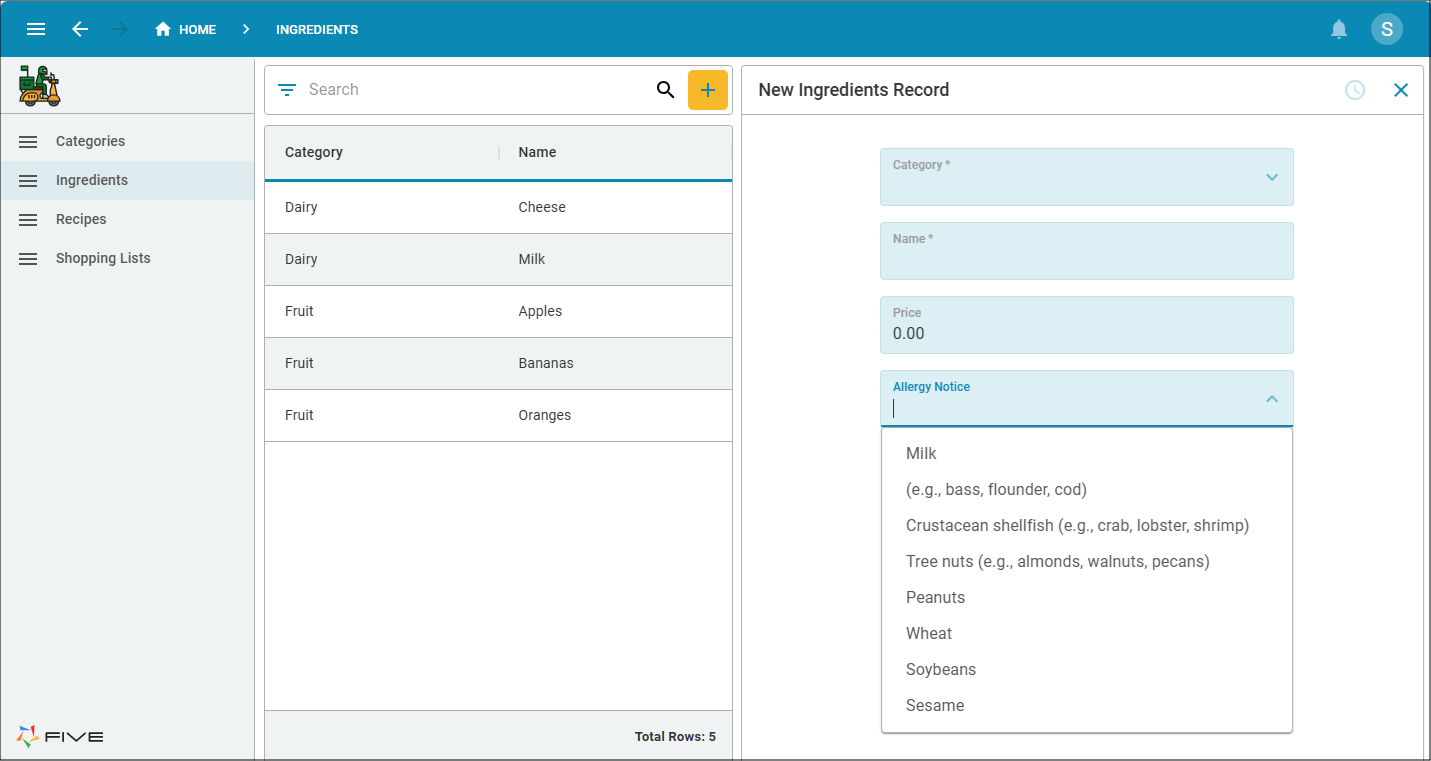
Figure 2 - Adding the options